An SEO audit in the side panel
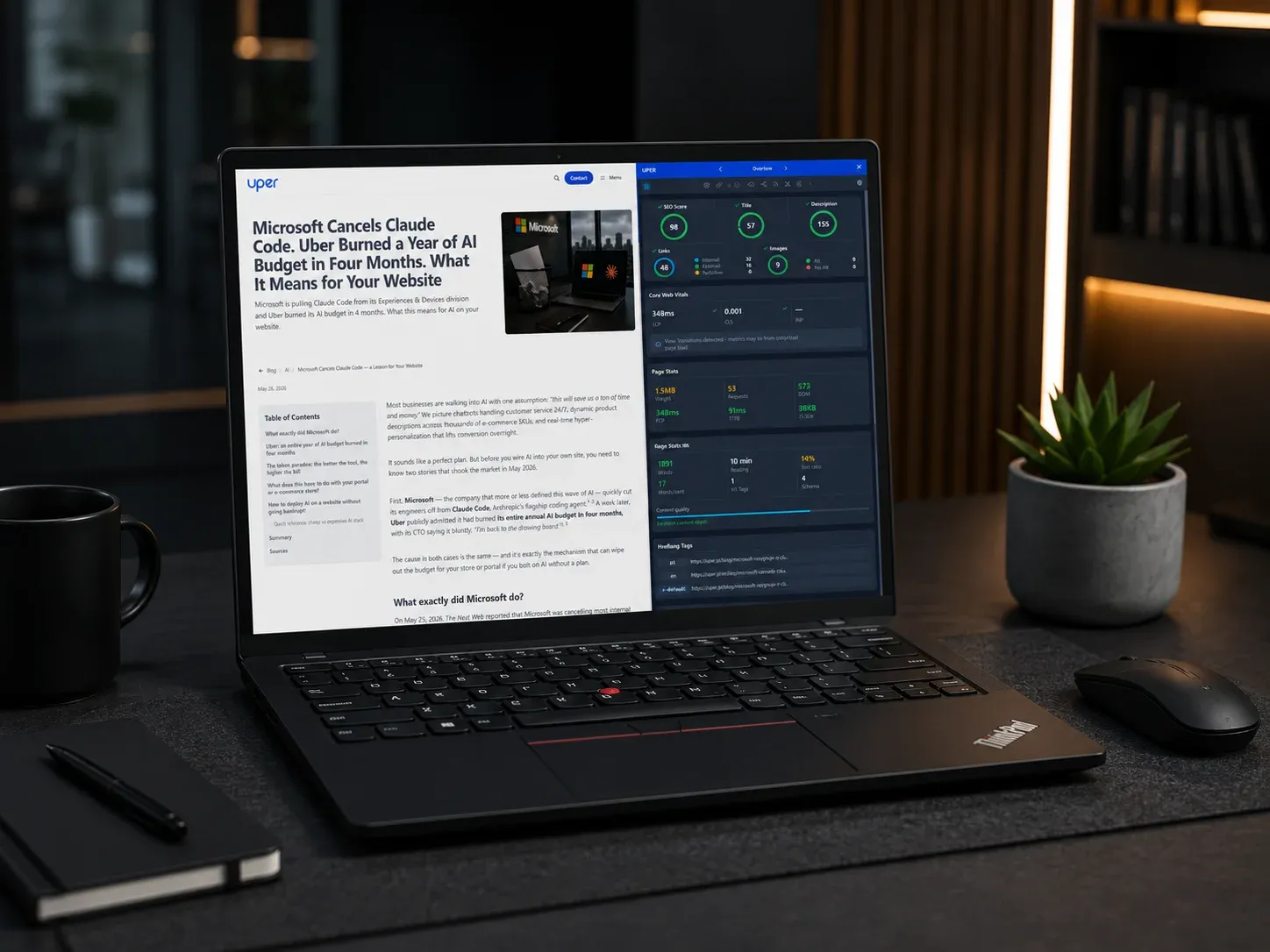
Uper SEO Auditor is my Chrome extension. It opens in the browser’s side panel next to the page you are checking and shows what works on it and what needs fixing: meta tags, structured data, links, images, Core Web Vitals, the technologies behind it, cookies and accessibility. When you move to another page the results refresh on their own, so you can walk through a site, go through a checkout or fill in a form and see what changes as you go. It runs in Chrome, and in Edge and Brave too.
I build it for people who work on websites every day: SEO specialists, frontend developers, copywriters and analysts. It sits between simple meta-tag readers and heavy crawlers you have to install and configure.
The whole analysis happens in the browser. There is no account and no sign-in, and audit results never reach a server of mine, because there is none.
I keep working on the extension, and this page describes version 2.8.3, which is waiting for Google’s review in the Chrome Web Store. Until it is approved, the store serves 2.8.2, which does not have the axe-core accessibility audit, Site Resource Audit or the “Without JS” view yet.
The 30-second walkthrough on YouTube goes through one audit tab by tab and ends with a whole-site crawl.


What it checks on one page
Content and meta tags
The extension measures the title and description in pixels, because Google cuts them by width, not by character count. It checks the canonical and the indexing directives, including when the page says something different from its HTTP headers. It previews shares on Facebook and X and shows the H1-H6 heading hierarchy and keyword density: single words, pairs and triples, with stop words left out, Polish ones included.


Core Web Vitals with their cause
LCP, CLS and INP are measured in the browser, including after route changes in React, Next.js or Vue apps that never reload the page (soft navigations). Each metric shows what is hurting it: the element that paints last, the elements that shift the layout and the script that delays the response to a click. Next to them sit the HTTP status with the full redirect chain, page weight, request count and DOM size.
Structured data
JSON-LD and Microdata are checked against a database of 1,007 Schema.org types and against Google’s current rich result requirements, nested entities (such as a product’s offer and reviews) and subtypes such as Restaurant or TechArticle included. JSON-LD that cannot be parsed is listed as an error instead of quietly disappearing.
Google Analytics, Tag Manager and Consent Mode
The panel shows GA4 events, the GTM container, the Consent Mode v2 status and the data layer after every interaction, and GTM’s debug mode can stay off. Google scripts blocked by the page’s CSP show up straight away.


Technologies and the design system
It recognises over 7,000 technologies, including CMSs, frameworks, CDNs and analytics tools, with their versions, and warns when a version is outdated or has known vulnerabilities. The page’s colours export to a Tailwind or UnoCSS config or to CSS variables, and a list of fonts sits next to them with their weights and where they load from.


Cookies, security and accessibility
It collects the cookies of the whole site, subdomains included, matches them against a database of over 2,200 known ones and groups them by purpose. Tracking pixels and browser storage are listed too. Security headers are graded by their values, not only by whether they exist, and resources loaded over HTTP on an HTTPS page are flagged.
Accessibility is checked by axe-core, the engine behind Lighthouse’s accessibility score: about 90 WCAG 2.0-2.2 rules at levels A and AA. Cases a machine cannot decide, such as text over a background image, go on a separate list for a manual look. Issues inside third-party cookie banners and chat widgets are shown apart and do not lower the page’s score.


Site files and what AI crawlers see
It reads robots.txt the way Google does and checks the sitemap, security.txt, ads.txt, RSS feeds, the favicon and the web manifest. It also finds and checks llms.txt and the page’s Markdown version, even one the page does not declare. It shows which AI crawlers may read the site, separately for search, assistants and model training.
The “Without JS” view shows the page the way GPTBot, ClaudeBot or social media crawlers read it, without running JavaScript, and lists what only appears once it runs. An app rendered in the browser can look fine in the panel and still be close to empty for those crawlers.


Checks across the whole site
Sitemap Analyzer
It takes the URLs from the sitemap and checks them one by one: HTTP status, redirects, title, description, H1, word count, noindex, hreflang and canonical. When a canonical points elsewhere, it checks that page too: whether it works, whether it redirects again and whether it is kept out of the index. From the links between pages it draws an internal linking graph and finds orphan pages nothing links to.
When the server starts refusing requests, the crawl slows down and retries what failed instead of reporting working pages as broken. The results export to CSV, save as a PDF or turn into a ready audit prompt.


Site Resource Audit
Instead of opening every page and going through its Images tab, this audit collects the heavy images, scripts and stylesheets of the whole site into one list, each file with the pages it appears on. It starts from the extension’s menu or from a right-click on the page.


llms.txt generator
It builds an llms.txt file from the sitemap crawl. Pages that make no sense there (sign-in, cart, search, list pagination) are left out, and on a multilingual site you choose the language.
AI without sending your data
The extension does not connect to any AI model. Next to the results, for example accessibility issues, Core Web Vitals or a sitemap crawl, it builds a prompt from the page’s data. You copy it with one click and paste it into ChatGPT, Claude or Gemini. No API keys and no middleman, and what you send, and to whom, is up to you.
A report also saves as a PDF with an overall score or exports to CSV, JSON and TXT. For reworking such a PDF, my online PDF editor handles text and page edits in the browser.

How it is built
Vanilla JavaScript
No framework: the panel, the tabs and the exports are ES modules. That keeps the package small and tells me exactly what runs on the page being checked.
Manifest V3 and the Side Panel API
A service worker runs in the background, the side panel is the workspace, and a context menu starts the sitemap crawl and the resource audit.
Browser APIs
PerformanceObserver and Long Animation Frames measure Web Vitals, MutationObserver follows DOM changes, and DOMParser compares the server HTML with the rendered page.
axe-core
It is the only third-party library in the package. The accessibility engine ships inside the extension, so nothing loads from the network.
Data built by scripts
The Schema.org type index from the official schema.org file, the cookie database and the patterns for over 7,000 technologies are generated and validated by Node.js scripts.
Tests before every release
Every release goes through several hundred tests on node:test and jsdom, plus checks of syntax, globals, the version and the technology database. In 2026 the package went from about 15 MB to under 5 MB.
The uper.pl website
uper.pl used to be the site of my SEO services. Today it is the extension’s website: a detailed description of the features, a changelog of every version, user reviews from the Chrome Web Store and the video. The extension panel on its homepage is a mock-up built in HTML, not a screenshot. Next to it runs a blog about technical SEO, AI visibility and local SEO, in Polish and in English.
The site is built with Astro, Vue islands and UnoCSS, has Pagefind search and runs on Netlify. The services that used to be on uper.pl moved here, for example the AI search audit.
I keep developing the extension. What each version changes is in the changelog on uper.pl.