At a glance
About the project
Every box, shelf and part in the garage inventory carries a QR label. They come out of a NIIMBOT B1, a budget printer under 100 PLN (about €25): Bluetooth, 50×30 mm labels, a battery. It fits in a hand, sits on a shelf between the boxes and has no cable at all. The labels are fine. The trouble was how much had to happen before one came out.
spoko labels is an open-source toolkit that lets a web page print on the B1 directly. It was built so the inventory panel could print a label with one button, and along the way it became a public web app for anyone with the same printer.
The challenge
The B1 only talks over Bluetooth to NIIMBOT’s phone app, and the desktop app connects over a USB cable only. So every label had to go through the NIIMBOT app. At first most of the time went into formatting: fitting the name, the model, the ID and a QR code onto 50×30 mm so it stayed readable. Once there was a template, the data had to be typed in label by label. As the list grew, an xls import took over:

- Step 1
Export
Select records in the panel and export them to an xls file.
- Step 2
Transfer
Get the file onto the phone.
- Step 3
Import
Import it into the NIIMBOT app and bind the columns to the template.
- Step 4
Print
Connect to the printer from the app, find the label and print.
Four steps, two devices and 5 to 10 minutes, whether it was one label or twenty. The app has few fonts with Polish characters, and editing on a phone gets tedious past a handful of labels. In practice a label got printed “when there was a moment”, and there never was one. Boxes stayed unlabelled and tidying the inventory stalled.


How I solved it
Instead of improving the process, I removed it. A browser can speak Bluetooth just like the phone app does; it only needs to know the printer’s language. Nobody documents it, so a Python prototype came first and proved the protocol on a real B1. Then I ported it to TypeScript as four packages and an app, each usable on its own:
labels-corelabels-renderlabels-niimbotlabels-embed
The preview is the print
The head is 384 dots wide, 8 dots per millimetre, and prints only black and white. A label that looks right on screen and comes out with a smudged QR code is worse than no preview at all, so the renderer works in printer dots:
- Templates in millimetres, output in dots. The image is thresholded to pure black and white, and QR modules always land on whole dots, so codes scan even at small sizes.
- The preview shows the hardware. The red bands are outside the head and will not print, the grey corners are outside the rounded label, the dashed line is the safe area. Text that does not fit gets a note before you waste a label.
- Golden-image tests. A change that moves one dot is a deliberate decision, with before/after images in the pull request.
Bluetooth from a web page
Web Bluetooth has rules, and the project is built around them:
- The connection starts from a click. The browser only lets you pick a printer in response to a user gesture, so the chip in the print dialog does that first.
- One command at a time. The printer answers one command before it takes the next. Everything goes through a single queue, so the chip, the dialog and the app never talk over each other.
- A protocol checked on hardware. Packets are
55 55 CMD LEN DATA… CHK AA AAwith an XOR checksum, with status packets the printer sends on its own in between. Every protocol change is checked on a real B1 before it merges. - It does not work everywhere, and the app says so. Chrome and Edge on desktop and Android work. iOS and Firefox have no Web Bluetooth. Brave needs a flag, and the app names it.

One button in the panel
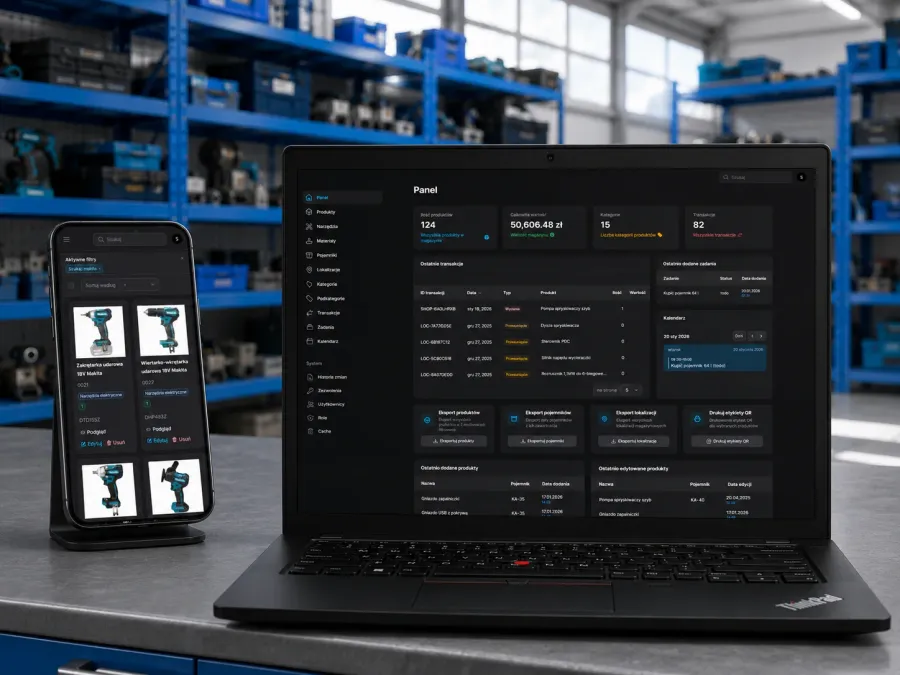
The inventory runs on Filament. The embed turned printing into a single action: the panel passes a template and the selected rows, the dialog renders the preview, the chip holds the connection. The package fetches and sends nothing, so it works under a strict Content Security Policy without exceptions. On a phone the chip collapses to an icon in the top bar. The old print view and the export it relied on are gone.

The printer sits on the bin rack and feeds labels out one after another, here for the extension bars on the tool wall:

A label printed this way ends up on the part, next to the manufacturer’s sticker:

Printing from the phone works perfectly. I don’t have to export xls files any more. — the workshop, on the first day of printing from the panel
The tool walls have their labels too, each with the tool name, model and number:


Results
- A label in under 10 seconds instead of 5 to 10 minutes. Open the record, tap Print label, peel it off. From the phone in the workshop or from the laptop.
- Nothing exported. The spreadsheet that went stale as soon as a name changed no longer exists. The label always shows what the panel has.
- Tidying moved again. When a label costs nothing, a box gets one right away, not “when there is a moment”.
- Data stays in the browser. xlsx files are read on the page, an API is fetched with no credentials, nothing reaches any server.
- A public app. Anyone with a B1 can print from their own spreadsheet at spoko-labels.pages.dev, and the code is MIT licensed. Anyone who already has templates in the NIIMBOT app points the page at its database file: the templates load in the browser, with a preview and a list of what was simplified, and stay there for the next visit. That is how the inventory’s templates came over.

How it was built
From the idea to the button in the panel took three days, 12 to 14 October 2026, in about thirty small pull requests. The port was planned as written specs, one per package. Each package landed with its own tests, 666 of them by the end, and anything that touched the hardware was also checked on a real printer, from a laptop, a desktop and a phone. The validation gate (typecheck, lint, tests, build) runs locally before every merge, and the app is deployed by hand to Cloudflare Pages, with the commit it was built from in the footer.
What is next
- Template files. Your own template as a JSON file to load, and an imported one to download, so it can move to another app.
- Deep links, so a link opens the app with a template and a data source already chosen.
- More printers. Development happens on the B1. Other NIIMBOT models speak a similar protocol, and reports are welcome.