At a glance
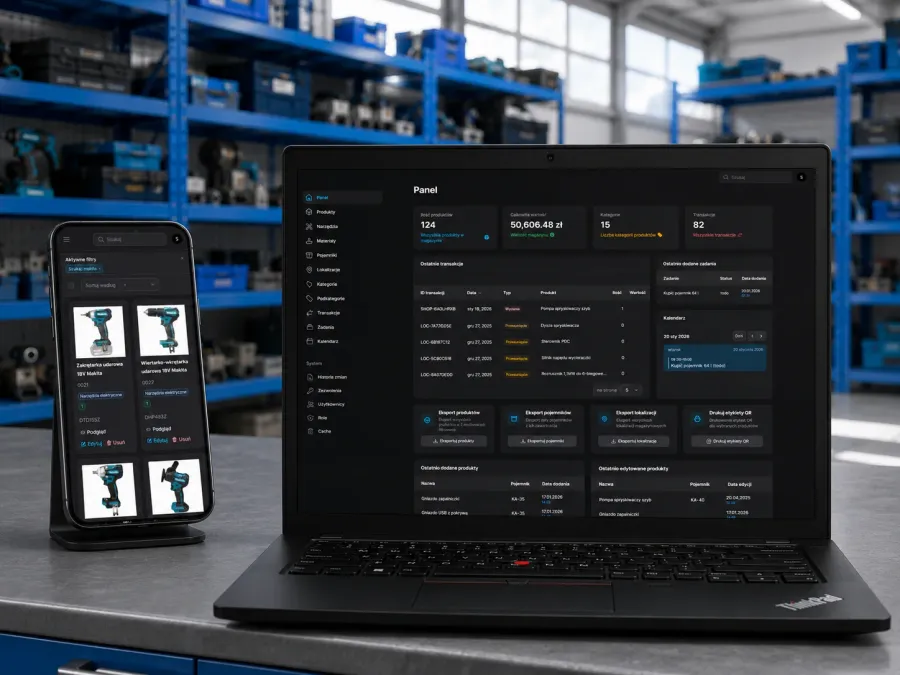
Most of what a company calls “the website” is really two things: the site visitors see, and the place where someone sits down to change it. This project is the second one — a content dashboard, built from scratch, that runs a whole roster of client websites from a single interface.
It is commercial work, so the client and the product name stay out of this write-up. Everything below is about what the system does and how it is put together.
The problem it replaces
The default answer to “we need a site the client can edit” is one WordPress per client. It works right up until you have a dozen of them. Then every site is its own installation with its own core, theme and plugin tree to patch; every site has a login page sitting on the client’s own public domain; and every site has a database and a PHP runtime exposed to anyone who goes looking. Nobody has time to keep twelve of those current, so they quietly drift until something breaks or gets exploited.
I know what that looks like from the other side — the WordPress rescue work that starts after an outdated plugin lets someone in.
What the dashboard actually lets a person do
Before any of the technology matters: this is a place where a non-technical person opens a page, changes it, and publishes it.
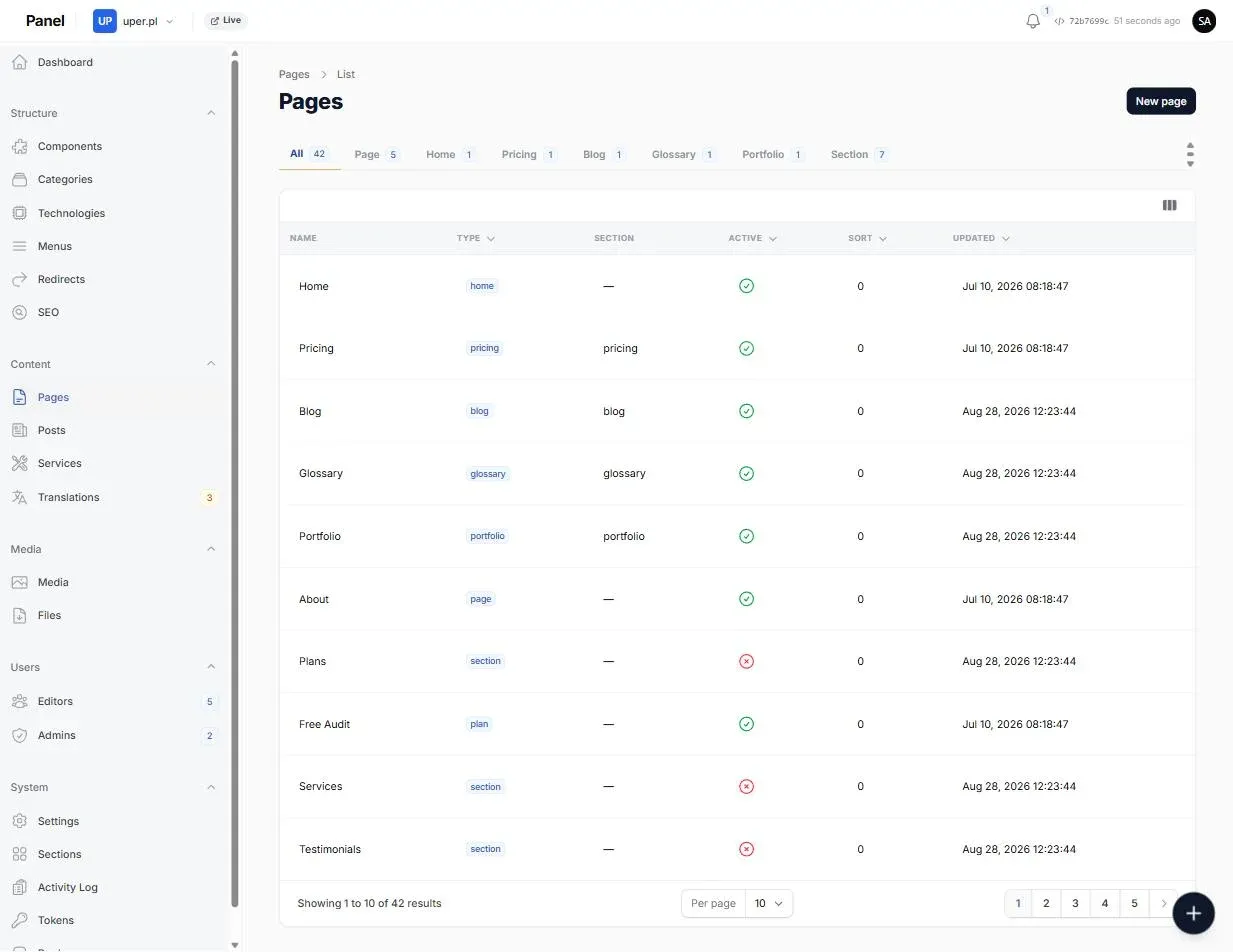
- Build a page from blocks Pick a hero, a feature list, a pricing table, an FAQ, a gallery, a contact panel — drag them into order and fill in the fields. No HTML, no shortcodes.
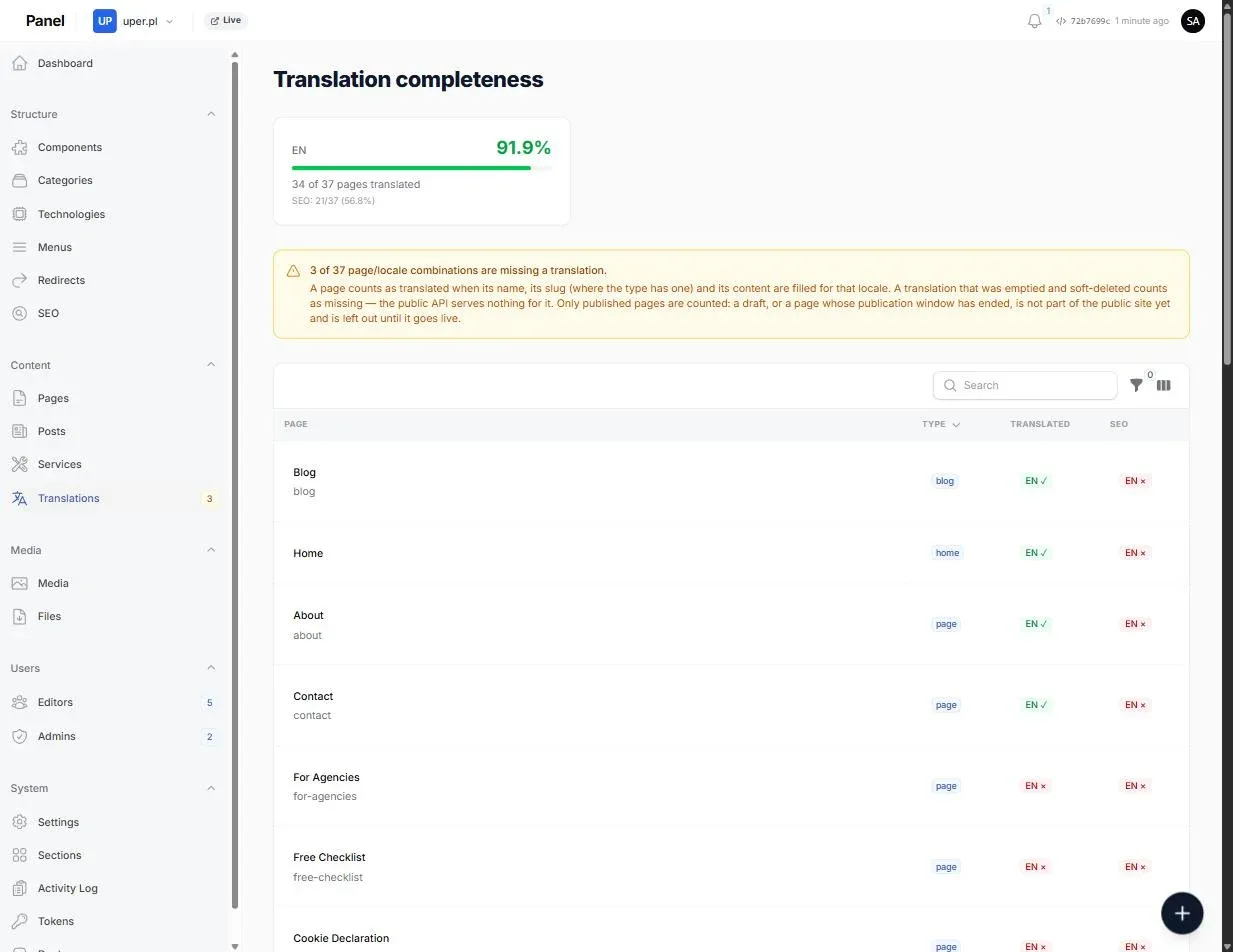
- Keep every language in sync Each page holds one version per language, and a completeness screen shows exactly which pages are still missing a translation — including their SEO fields.
- Upload an image once Web-optimised versions are generated in the background, so an editor uploading a 4 MB phone photo does not quietly make the site slow.
- Run collections, not just pages Blog posts, case studies, services, pricing plans, testimonials, glossary entries — each is a collection with its own fields, listing page and categories.
- Own the plumbing Menus, redirects, 404 reports, sitemap and hreflang, social preview images — the things that decide whether a site is findable, in the same panel as the content.
- Give people the right keys Three roles, and an author can be granted exactly the collections they work on. Someone hired to write blog posts never sees the pricing page.
The page builder
A page is not a blob of HTML. It is an ordered list of typed blocks, stored per language, and each block knows its own fields. There are 32 block types today — hero, rich content, features, testimonials, pricing table, FAQ, gallery, team, opening hours, map, contact, video, tabs, carousel and the rest.
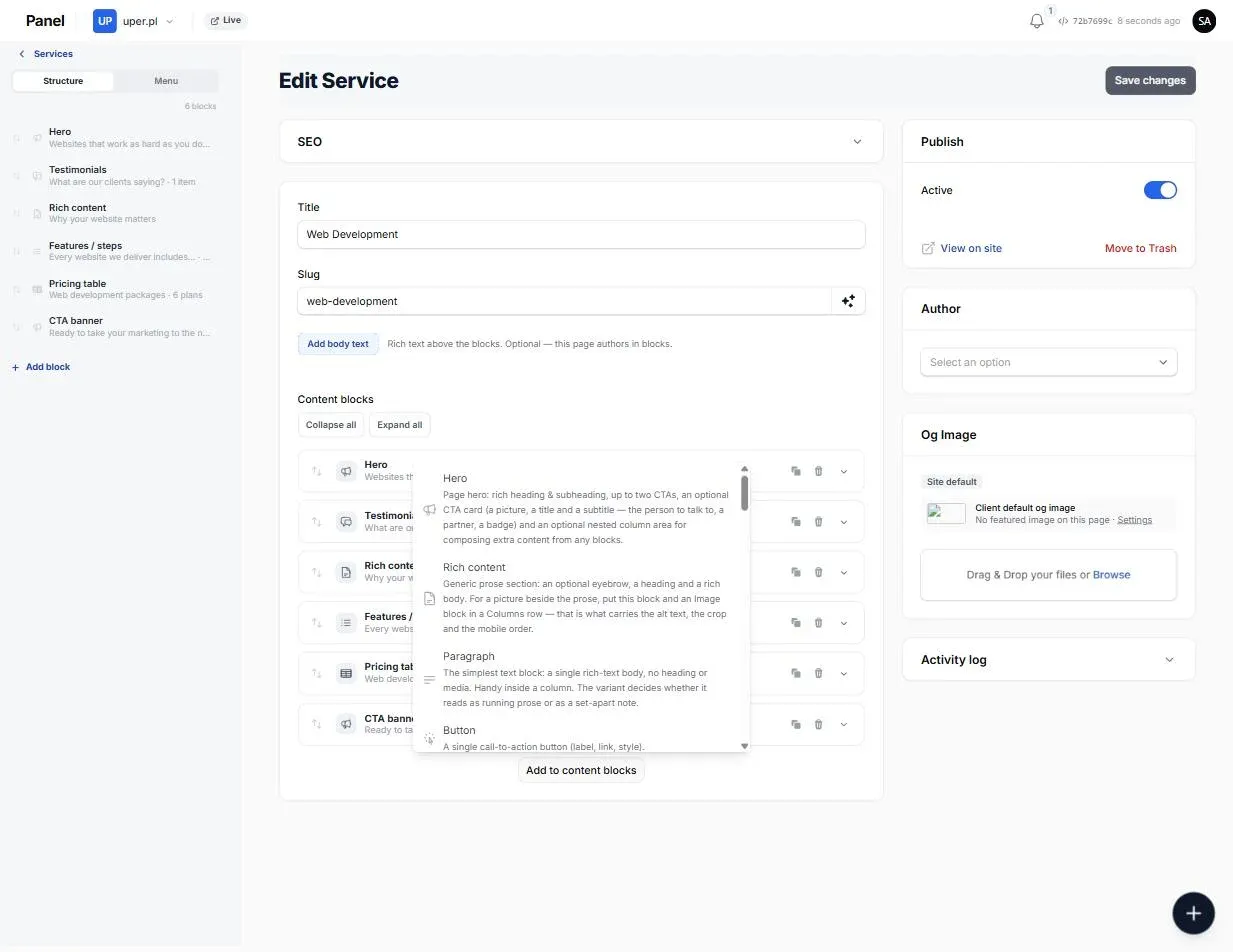
Two things about that list matter more than its length:
- Adding a block type is a config entry, not a new codebase. The palette an editor sees, the description beside each type, and the fields inside the block all come from one config file. The frontend then registers a component for that block name and it is done.
- A capability shared by many blocks is declared once, not copied into each. The background band, the alignment, the reveal animation and the anchor id live in one definition, and a block simply states which of them it supports — 26 of the 32 do.
- Every block gets a stable id the first time it is saved. That is what makes it possible to patch one block from the outside — by an API call, or by an AI tool — without touching the rest of the page.
The editor keeps an outline of the page beside it, one row per block with a line of its actual content, so a long page stays navigable instead of turning into a wall of collapsed panels.
New content types without new code
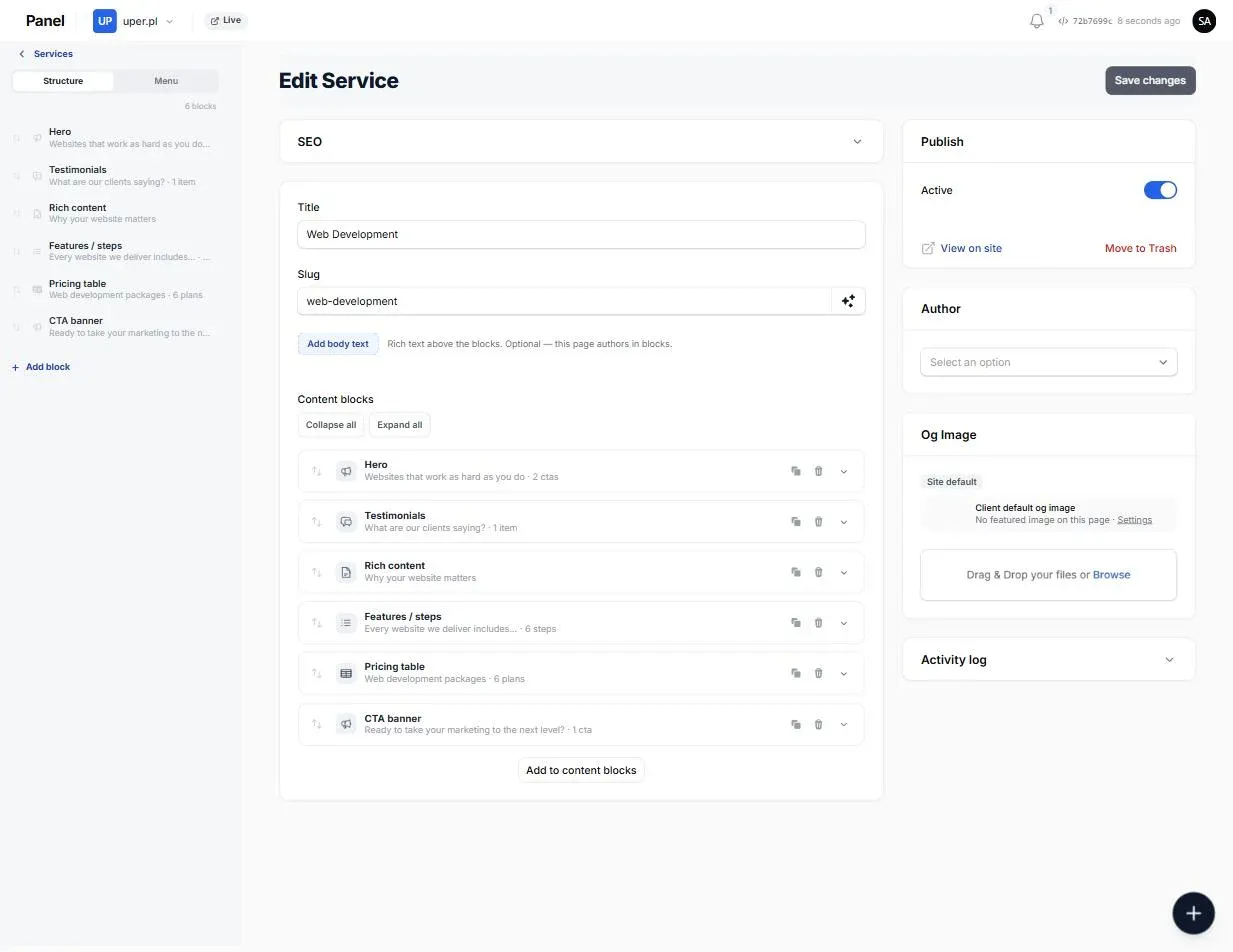
The other half of the content engine is collections. A site that needs “case studies” or “opening hours per branch” or “pricing plans, but three separate sets of them” does not get a new module written for it. A collection is defined in the panel — pick the item type, switch the fields on, choose an icon — and it appears in the sidebar with its own editing screen, its own categories and its own API endpoint.
Each client also gets to have only the collections they actually use. Everything else stays switched off and out of their sidebar.
Translations you can see the state of
Multilingual content usually fails quietly: someone adds an English page, nobody adds the Polish one, and the gap is only discovered months later by a visitor. The panel keeps a running count instead — how many pages are translated per language, which ones are missing, and whether the SEO title and description were filled in as well as the body.
The part I find most interesting: AI is a first-class client of the CMS
Everything the dashboard can read, the CMS also exposes twice — once as a REST API and once as an MCP server, behind the same authentication. MCP is the protocol AI assistants use to talk to outside systems, so the second surface means an AI tool can work with the content directly instead of being handed copy-pasted text.
There are 82 tools on that surface today: list and read pages, search content, read the block schema, create a page, edit a single block by its id, set metadata, manage categories and menus and redirects, upload media, trigger a rebuild. A client can connect Claude to their own dashboard with their own panel login — OAuth with PKCE, not a token pasted into a config file — and then ask it to draft a page, fix the pages missing a description, or translate a section, with the changes landing in the CMS rather than in a chat window.
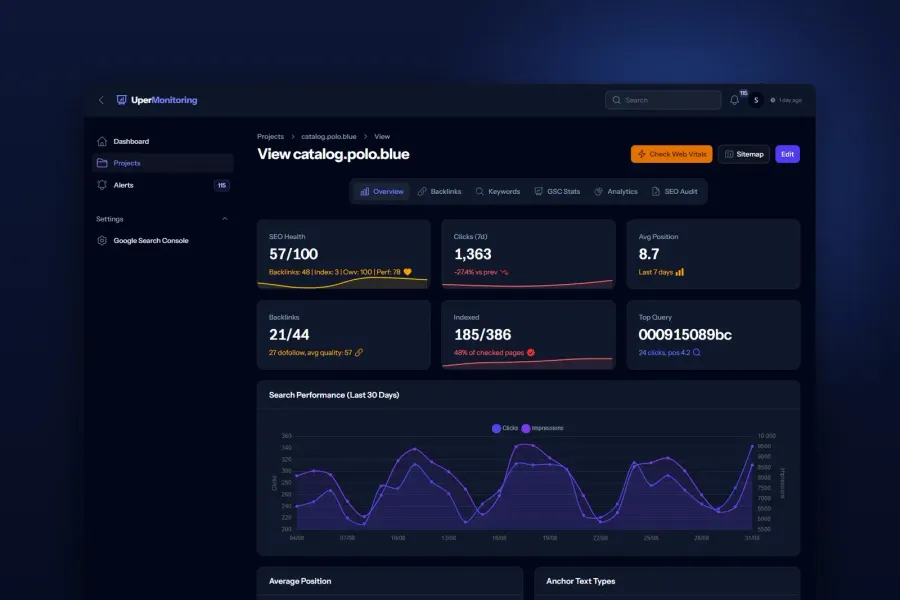
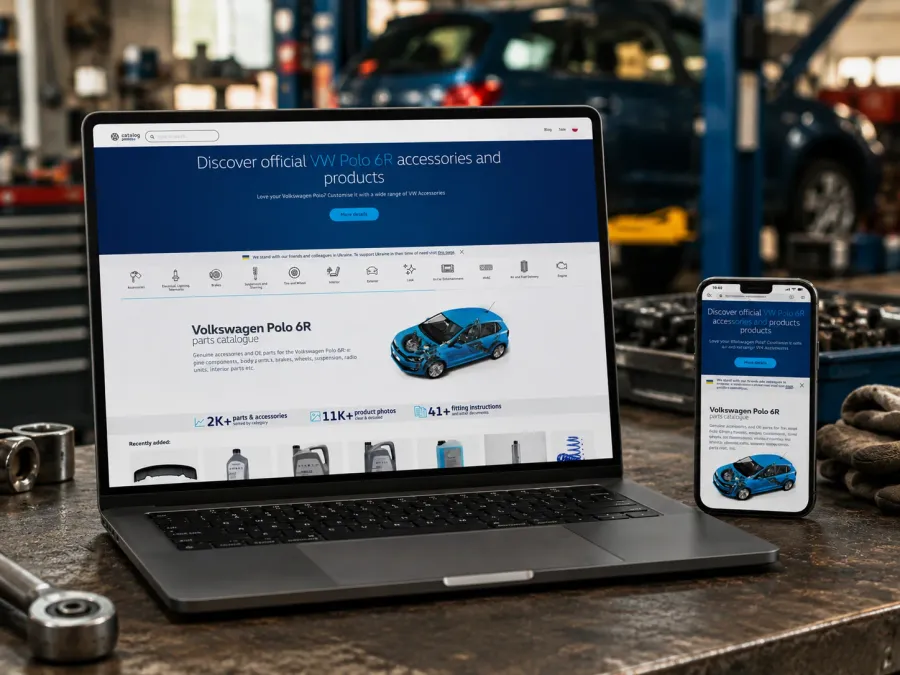
The same way of working, with a much smaller set of tools, also runs in the WordPress behind the polo.blue blog, where the MCP server was added to an existing CMS as a plugin.
Two doors into the same content
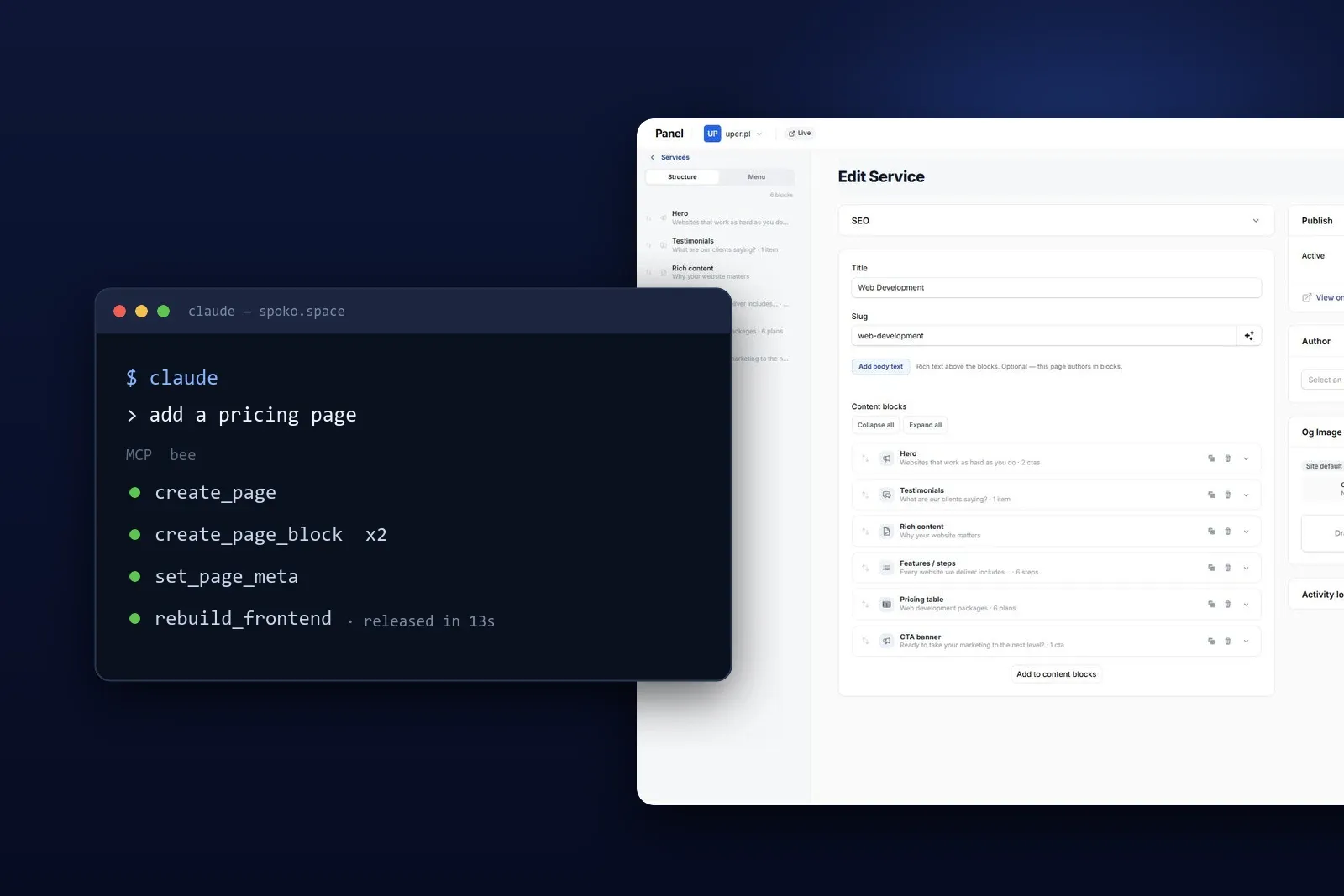
The dashboard is one way in. The terminal is the other. Because MCP is a protocol rather than a feature of one app, the same tools that answer a chat window also answer Claude Code — so a developer can stay where they already are and write to the CMS from the command line: create the page, fill its blocks, set the metadata, trigger the rebuild.
That is not a demo path. The copy on the sites running on this system went in from a terminal, not by clicking through the panel. Writing twelve pages is a different job when you can hand over a brief and a structure instead of opening twelve forms.
Both doors lead to the same content, the same validation and the same permissions. The person who edits the About page once a quarter gets a panel that asks nothing of them; the developer who is setting up a whole site gets a command line. Neither has to pretend to be the other.
The guardrails were the interesting engineering problem, not the tools:
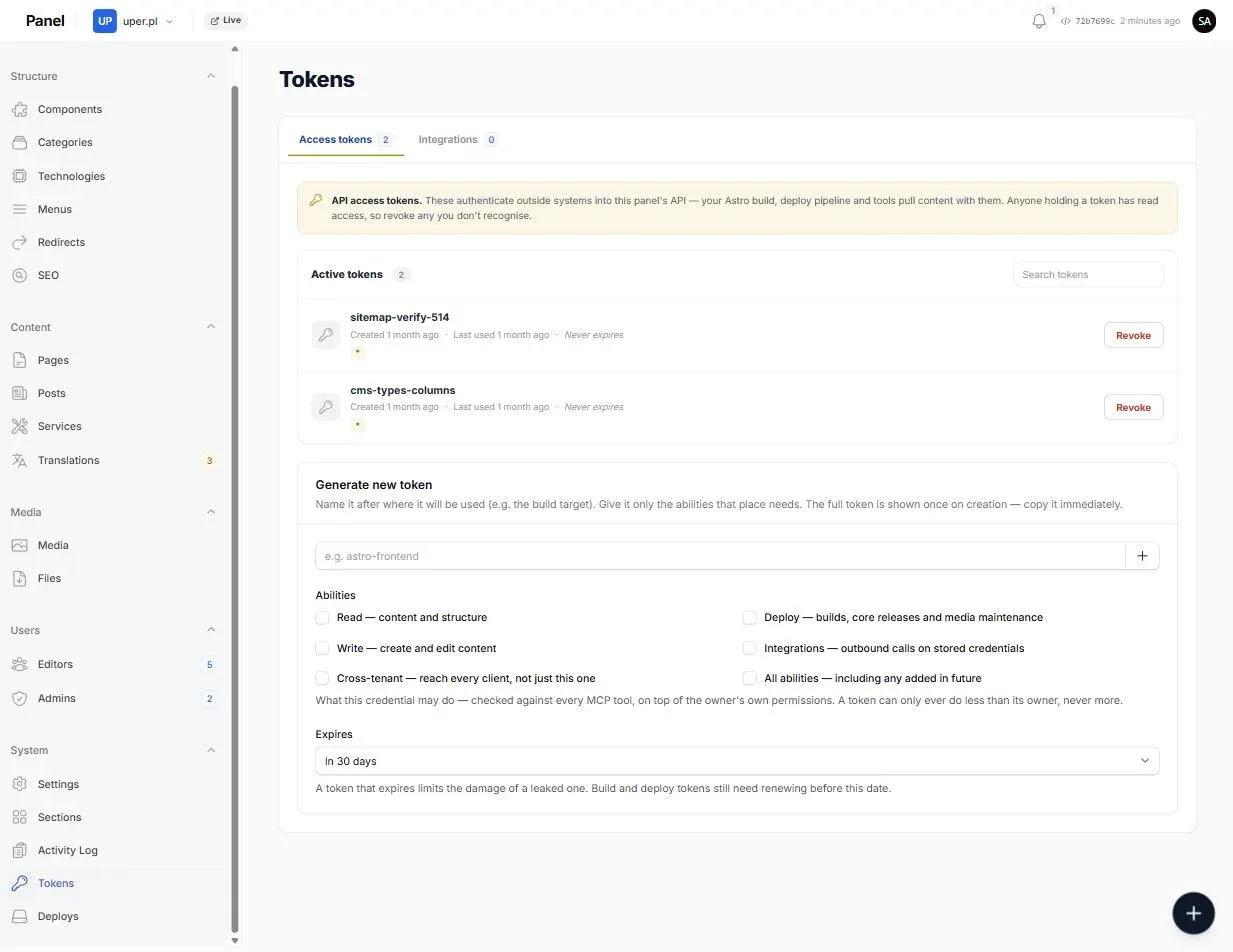
- A credential is never wider than its owner Every gated tool checks twice: the person holds the permission, and the credential carries the matching ability. A read-only credential cannot queue a deploy or spend a third party’s quota.
- Scoped to one client, always The credential’s owner decides which client’s content it sees. There is no client-id parameter for a caller to change, so there is no cross-tenant read to get wrong.
- Rate limits with teeth Tools that spend real money — deploys, release tags, third-party API quota — share a tighter allowance than the read tools.
- A written contract to read The block format has a canonical spec, and the frontend’s types are generated from the backend’s own schema. An AI tool editing a page is working from the same document a developer would.
From an edit to a live page
- Step 1
Someone edits
An editor reorders blocks and changes copy in the panel — or an AI tool patches one block through MCP. Same data, same validation.
- Step 2
It is saved as structured content
Blocks are stored per language as typed JSON, each with a stable id. Nothing is stored as rendered HTML, so the same content can be rendered any way later.
- Step 3
Publish queues a build
The panel says plainly when the live site is behind the content, and one button starts the rebuild.
- Step 4
The site asks the API for its pages
The static build authenticates with its own credential and pulls the fully resolved pages — blocks, references and all — in one pass.
- Step 5
The new build goes live
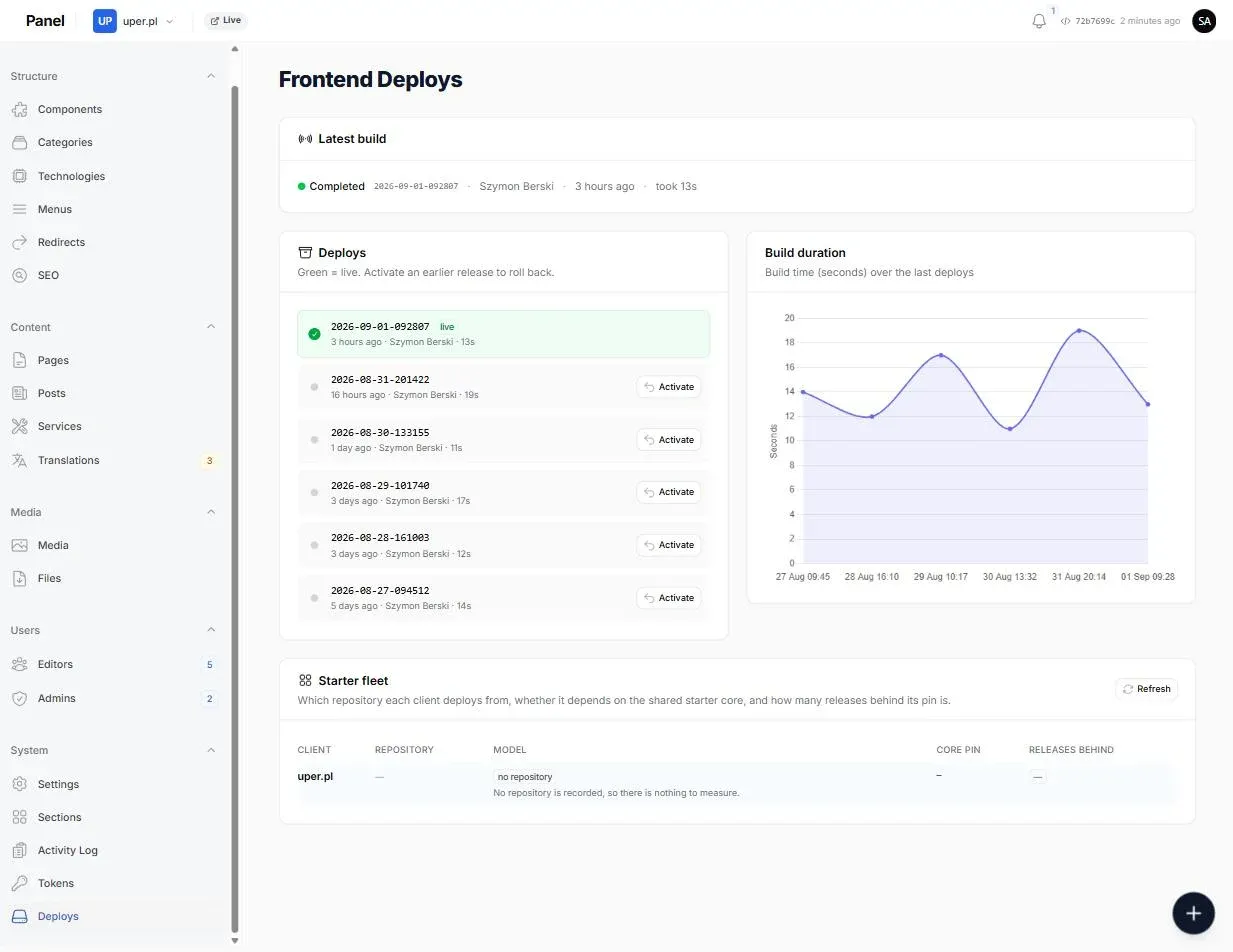
Editors watch it go queued → building → released, and the previous release stays around to switch back to.
A rebuild takes 10 to 20 seconds. That number is what makes “just publish it” a reasonable thing to say to a client rather than a scheduling conversation — and the panel keeps the history, so any earlier release is one button away.
What visitors get at the end of that is a static site: HTML, CSS and images on a CDN. No database query, no PHP process, nothing to log into. The content lives in the dashboard; the public site is a snapshot of it.
Because the contract between the two is plain JSON over HTTP, the frontend is not locked in either. Astro renders it today; a Next.js or Nuxt or SvelteKit site would consume exactly the same endpoints without the backend changing at all.
Onboarding a new site
Adding a client is one form. Everything after it runs in the background as a chain of steps that can each be retried on their own: create the site’s repository, then — through RunCloud’s API — create the web app on the server, wire up the git deploy, and issue the Let’s Encrypt certificate. The panel shows which step it is on rather than a single pass/fail, and a failed run can be restarted without producing a duplicate of anything it already created.
My role
I am the primary author of this headless CMS: the multi-tenant content model, the block and collection engines, the Filament panel, the REST and MCP surfaces, the provisioning chain, the media pipeline, and the Astro core package the client sites are built from. Around 1,900 commits went in over the first ten weeks, most of them mine, alongside a small team and code review on every pull request.
Result
- One backend, many sites A security update, a new block type or a new panel feature reaches every site at once instead of being repeated per installation.
- Nothing to attack on the public domain No CMS, no database and no login form on a client’s own site — only a static build.
- AI in the workflow, not beside it Content can be drafted, corrected and published by an AI assistant working directly against the CMS, under the same permissions as a person.
Technologies
Laravel
The application framework behind the whole backend — the content model, the queue, the API, provisioning and deploys.
Filament
The admin layer the dashboard is built on. The page builder is its Builder component driven entirely by config.
MariaDB
Content, translations, media metadata and per-client settings, with every query scoped to one tenant.
Astro + TypeScript
The static frontends. Their block types are generated from the backend schema, so the two cannot drift apart.
REST API
The build-time read surface, documented with OpenAPI and authenticated per client with bearer credentials.
MCP
82 tools mirroring the API for AI assistants, with per-credential abilities and rate limits on the expensive ones.
RunCloud
The server management panel's API drives onboarding a new site: creates the web app, wires up the git deploy, and issues the Let's Encrypt certificate — no manual server login.