At a glance
About the project
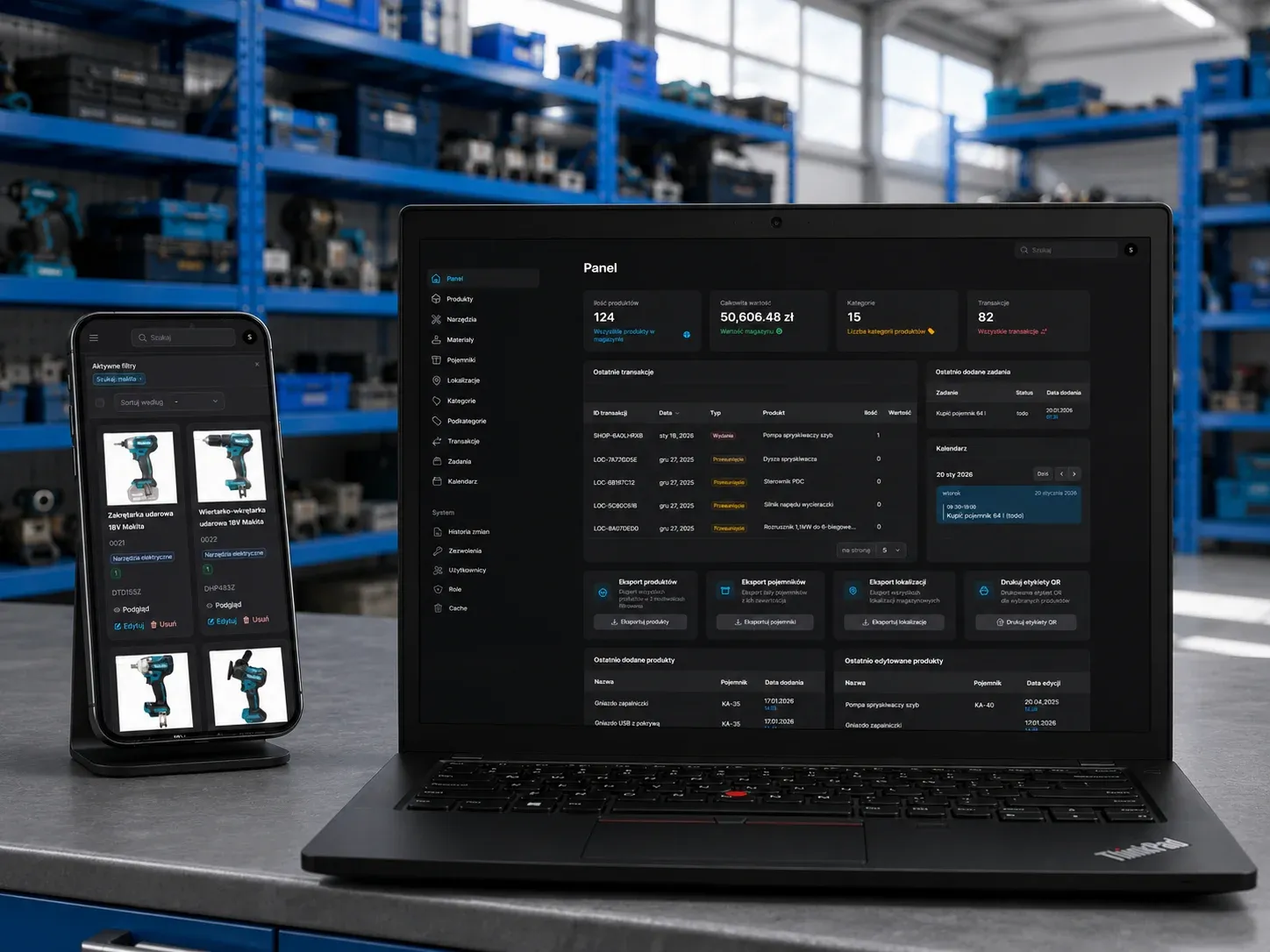
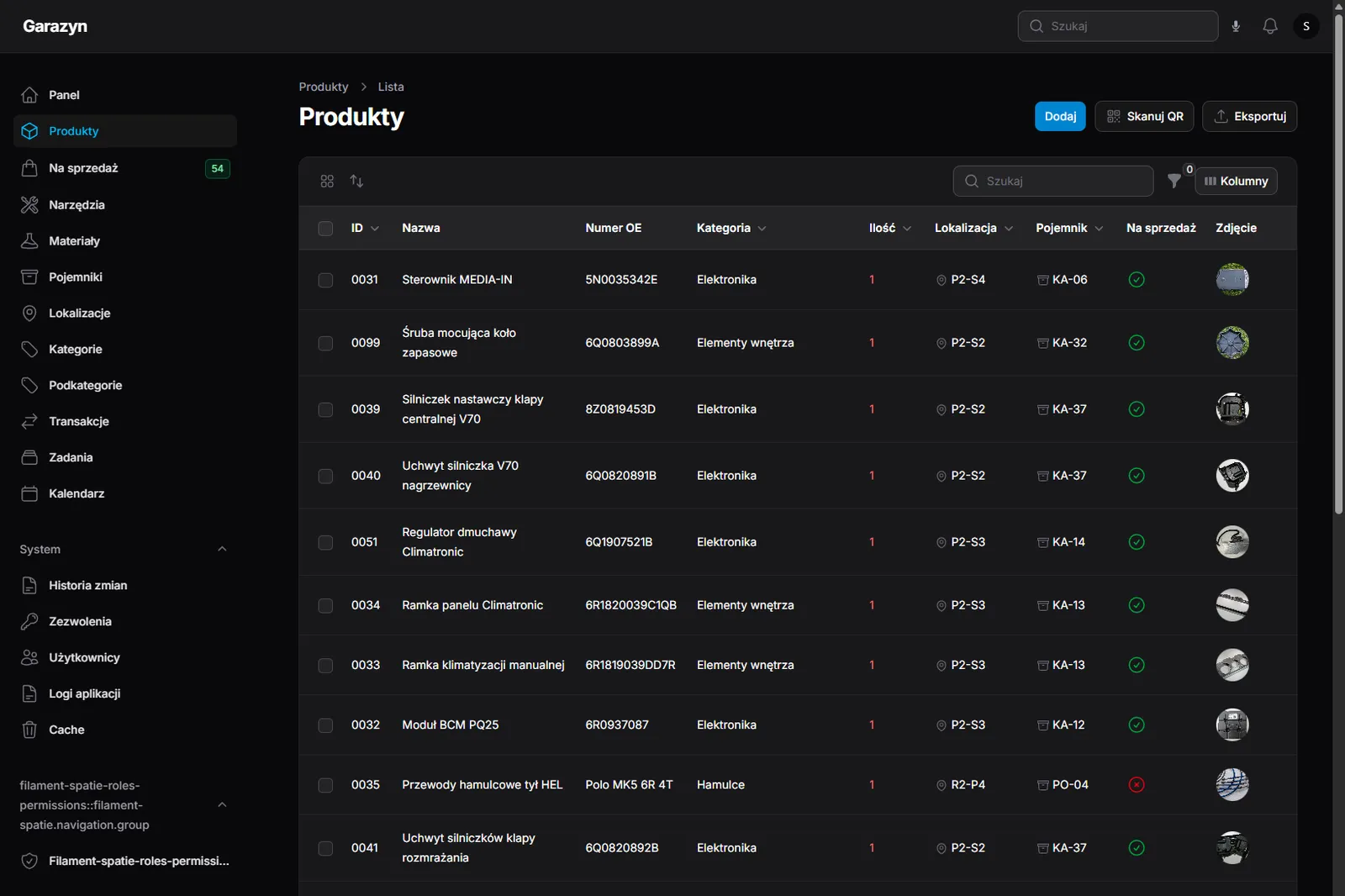
An inventory system for a workshop that trades in parts salvaged from donor cars (mostly VW Polo 6R) and also keeps tools and consumables. The client needed a single source of truth for the whole stock: where everything is, what is for sale and what has already sold. I designed and built the system from scratch: a Laravel and Filament panel, Livewire for reactive fragments of the UI, a PWA for working from the phone in the workshop, and an Astro storefront that lists the parts put up for sale.
The challenge
Years of hobby-scale Volkswagen restoration and resale turned the garage into a storage yard: hundreds of items in circulation, shelves of containers, plus tools and workshop chemicals. Several concrete pains to solve:
- Nothing can be found. Every incoming part lands in a box. Boxes go on shelves, shelves go into the garage. Finding one bracket meant opening piles of cartons, because nothing was written down anywhere. A simple check (“do I still have that second tailgate handle?”) took a quarter of an hour.
- The same thing bought twice. Without records it was easy to buy a second file or filter because the first one could not be located in half an hour. The financial hit came not from expensive purchases, but from duplicating them.
- Parts sitting in boxes instead of on sale. Plenty of removed components are worth reselling, but manually creating each listing (photos, description, translation into English for foreign buyers, upload to the host, price conversion into euro) took so long that the boxes grew and sales stalled.
- No history. “What did I do with this last month?”, “where did I last see that plug?” and “have I already sold the other blower motor?” had no answer.
- Work has to be mobile. A garage has no desk and no laptop. Every decision has to be reachable from the phone, with gloves on, one finger, oil on the screen.
Objectives
- Know exactly where every part, tool and consumable is: which shelf, which box.
- Find anything within seconds from the phone, with dirty hands, from the workshop.
- Publish listings fast: minutes instead of hours, with the English translation included.
- Support role-based access, in case someone ever helps out.
- Keep a full history of what was added, moved or sold, and by whom.
How I solved it
Find any part by scanning a box
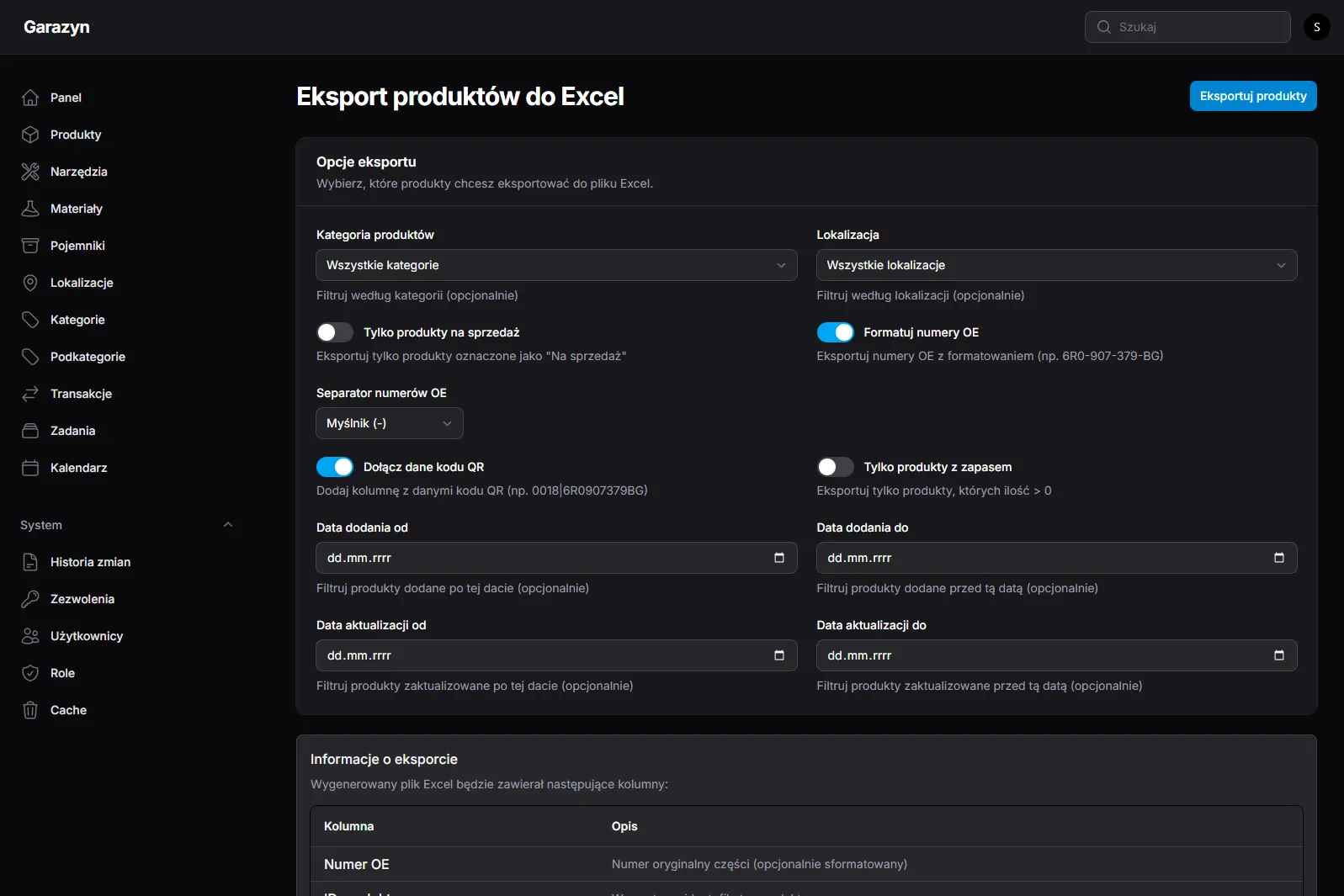
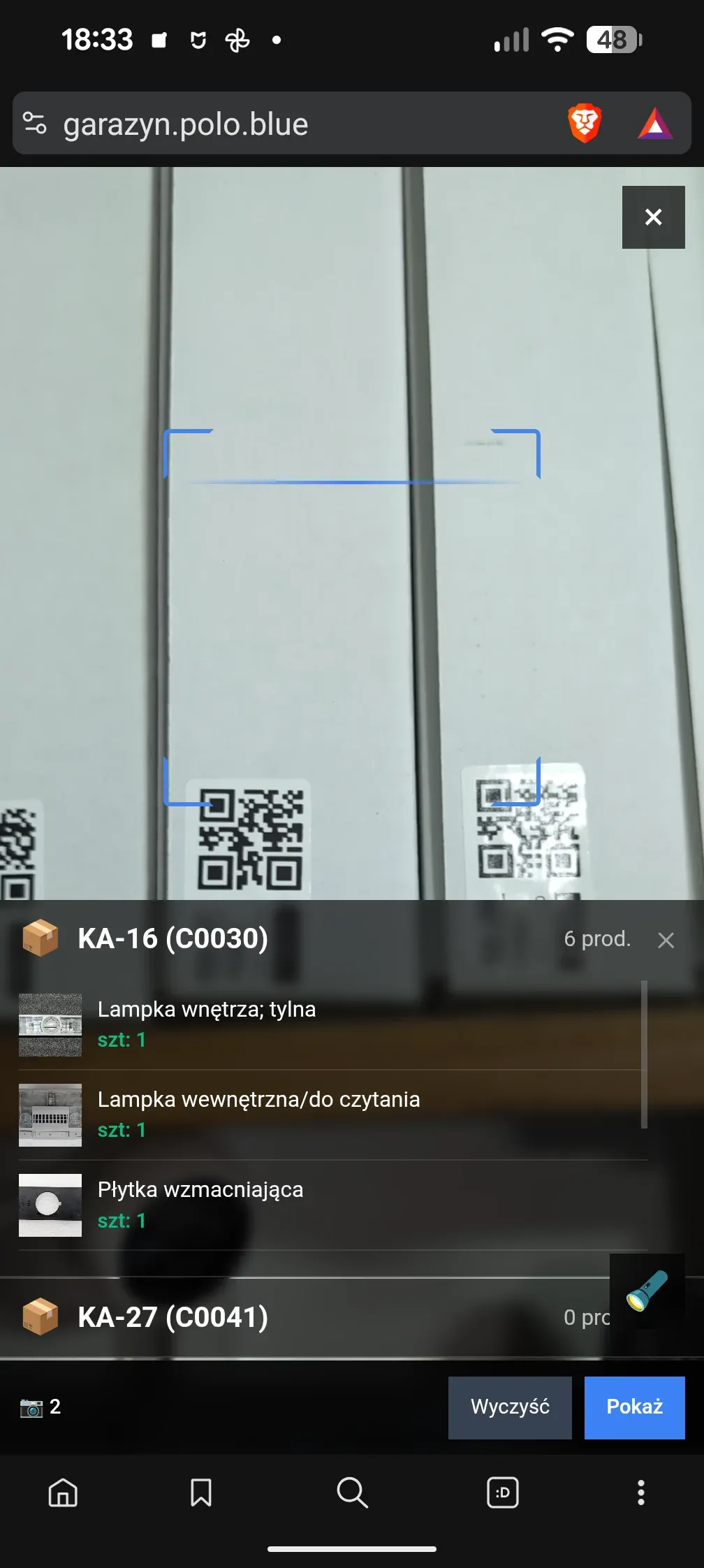
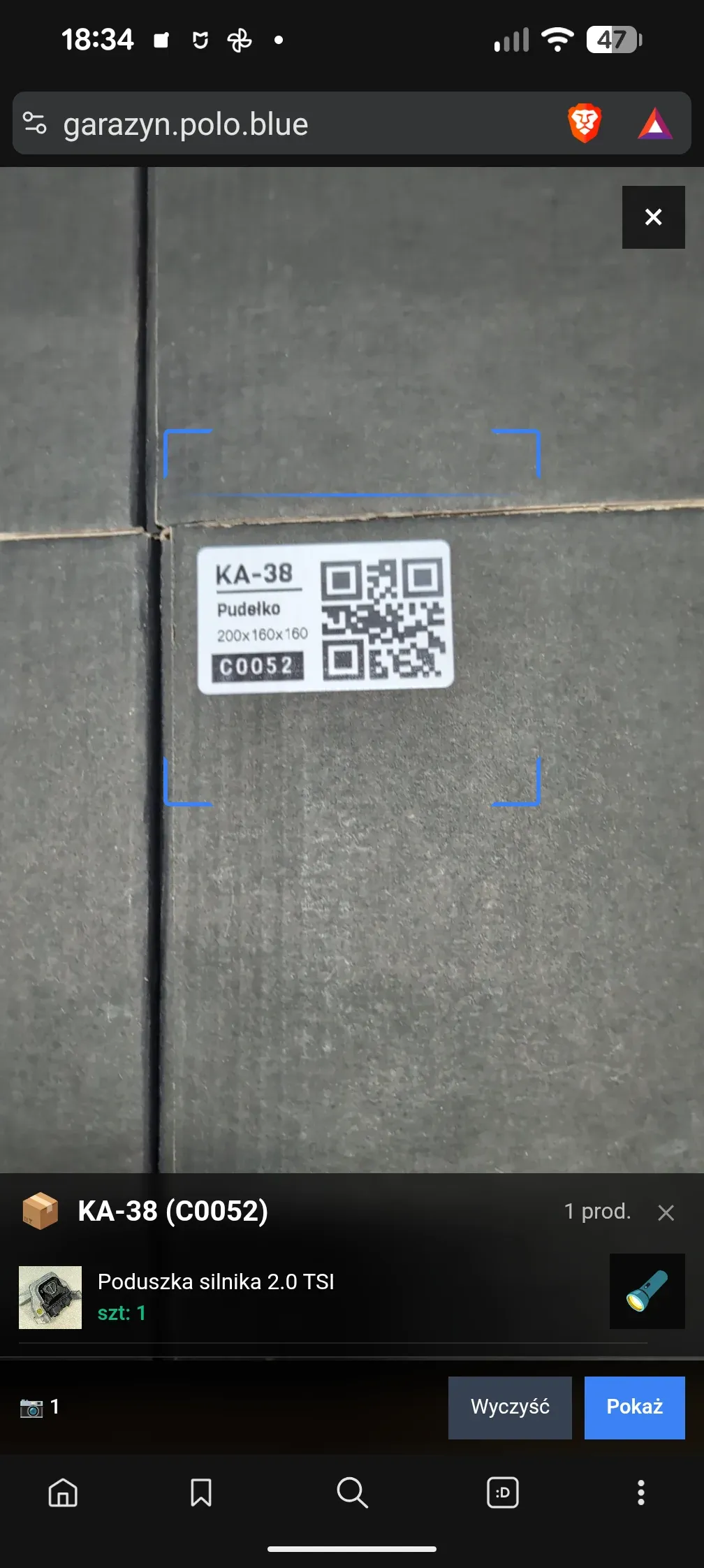
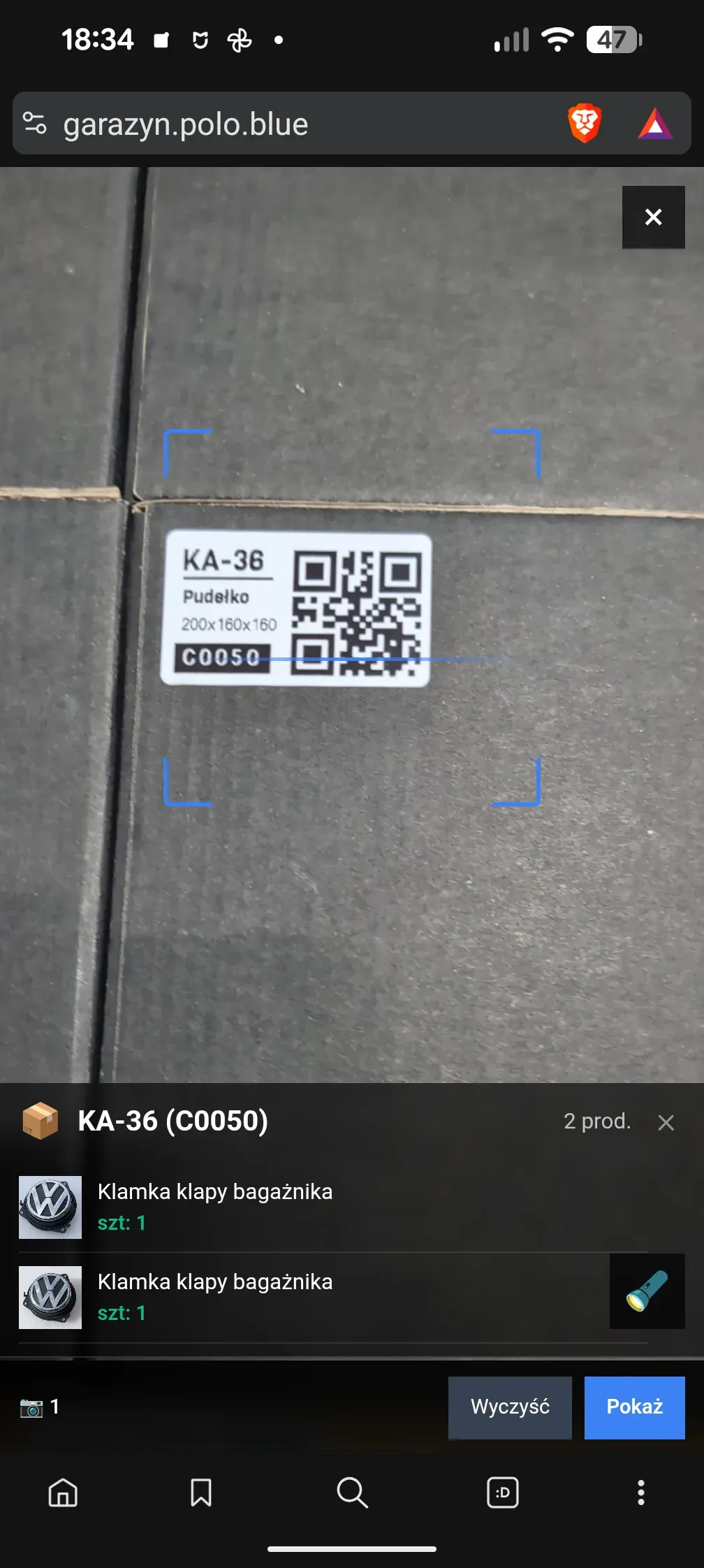
Three-level hierarchy: a location (shelf, wall mount, floor area) holds containers (boxes, trays, organisers), and those hold items (parts, tools, materials). Every level has its own QR code with a prefix: L for locations, C for containers, M for materials, T for tools, and a bare number for products. Scanning a label opens the correct view, and pointing the camera at one box on a shelf is enough to see what is inside.
The scanner handles several codes in a single frame. If the camera sees a whole shelf of boxes at once, the PWA shows the list of recognised containers and a tap opens the contents of any one of them.
Search hands-free, by voice
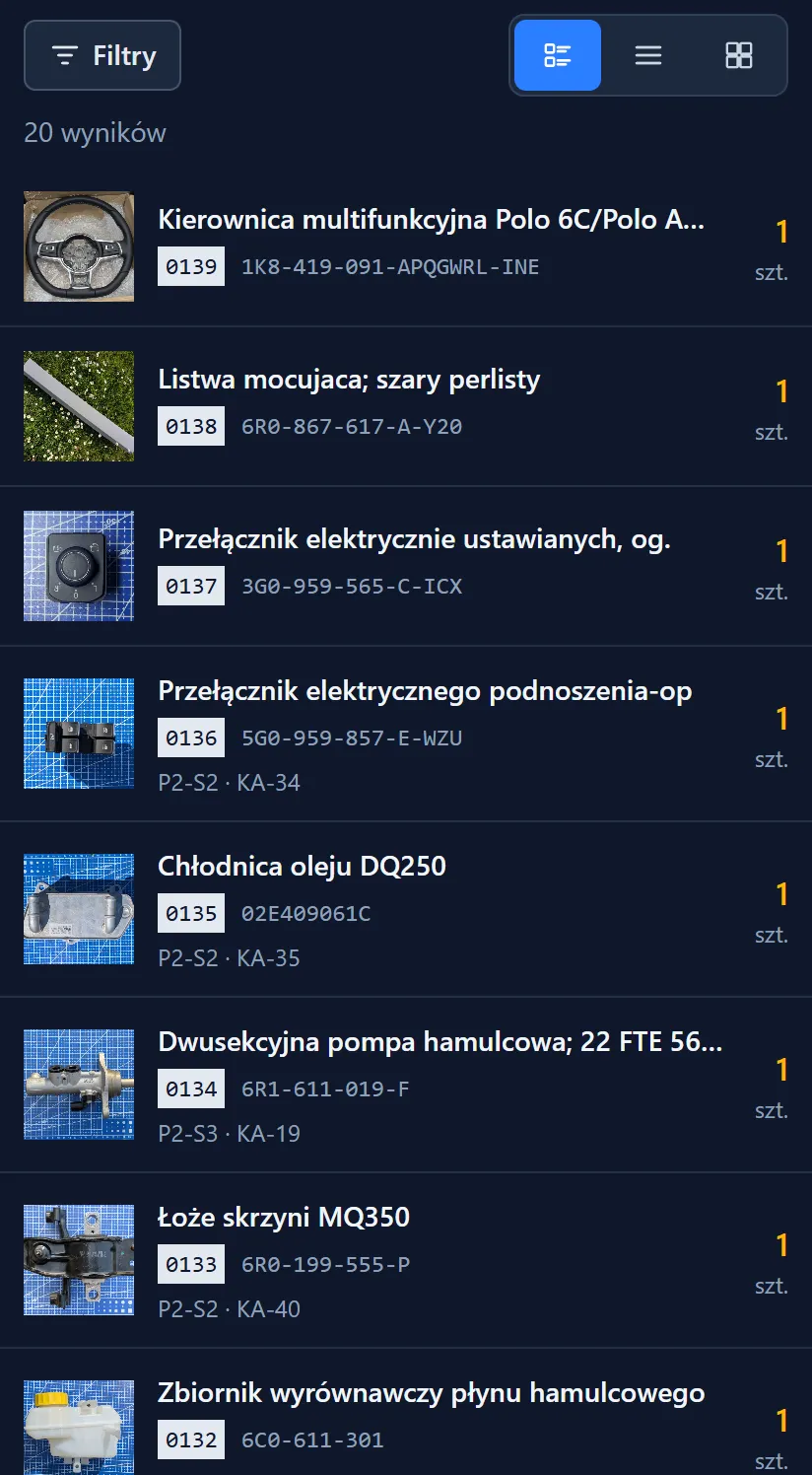
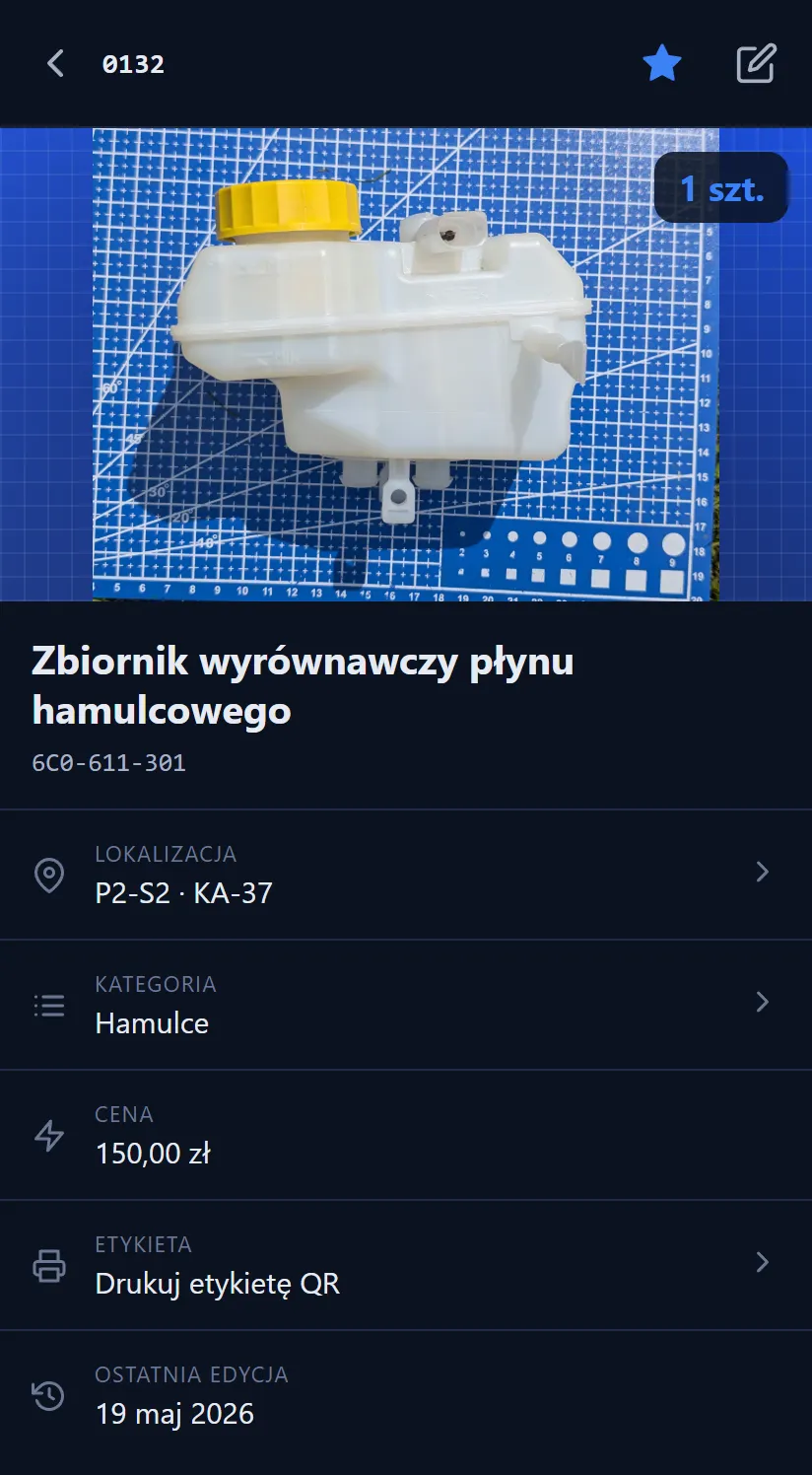
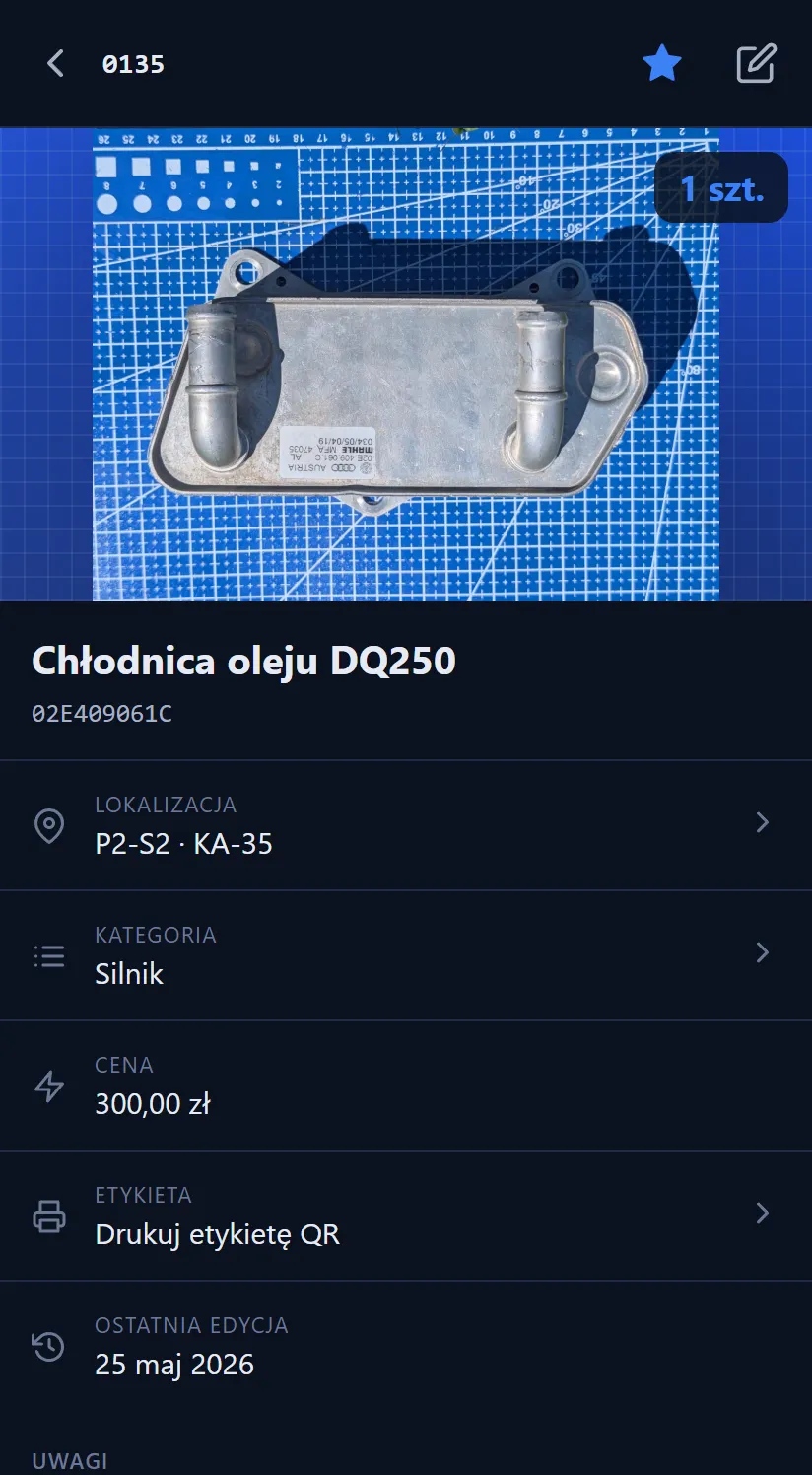
The public PWA is a lighter version of the interface, meant for quick lookups from the phone without logging in. It has list, compact and gallery views, filtering by category, container and stock status, plus two things that save the day when hands are dirty:
- Voice search. The user holds down the microphone, says an OE number or a part name, then releases. The search takes the transcript from the browser’s SpeechRecognition and filters the list.
- QR scanner from any view. The camera lives in the top bar, so there is no need to open the search first and then launch the scanner.

Sell what you no longer use
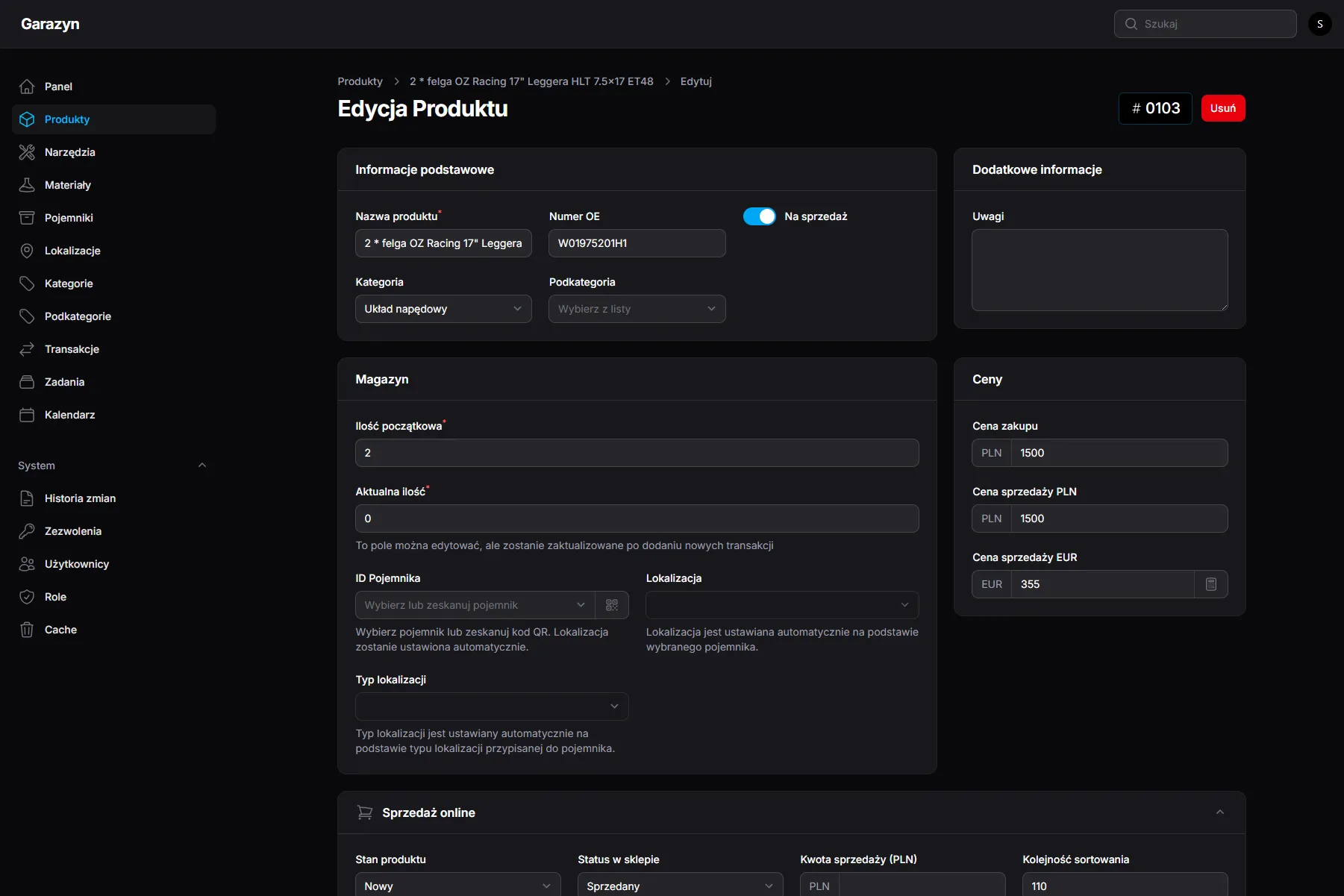
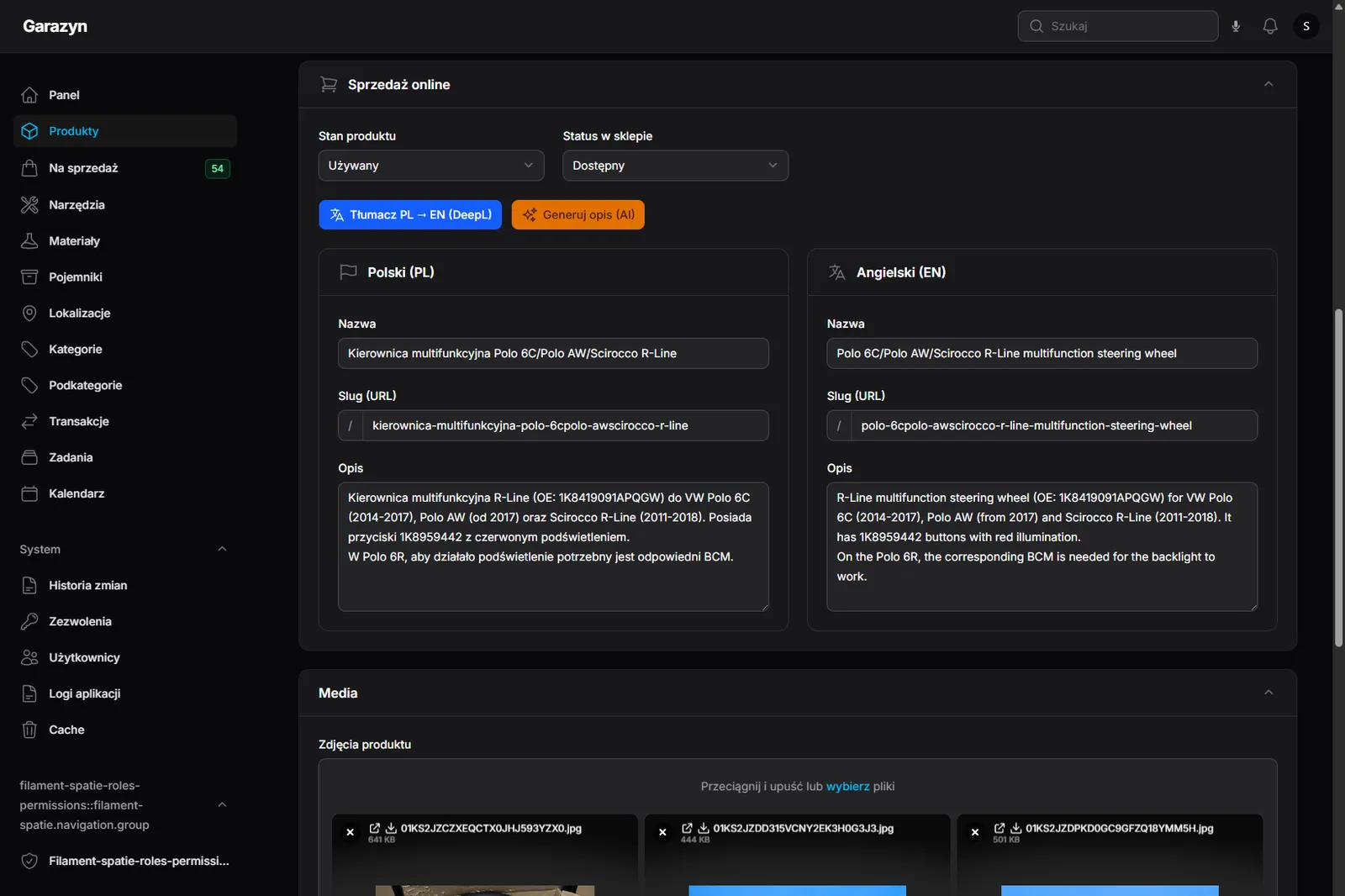
Every product has a “For sale” toggle. Flipping it pushes the product onto a separate public Astro storefront that consumes the warehouse REST API with a fifteen-minute cache. Eloquent model hooks clear that cache on every save, so the API serves fresh data straight away rather than a quarter of an hour later. The sales form adds what cross-border e-commerce needs:
- Bilingual descriptions (PL and EN) with automatic DeepL translation: write in Polish, English lands on save.
- PLN and EUR prices with automatic conversion at the NBP rate.
- Sales status: available, reserved, sold.
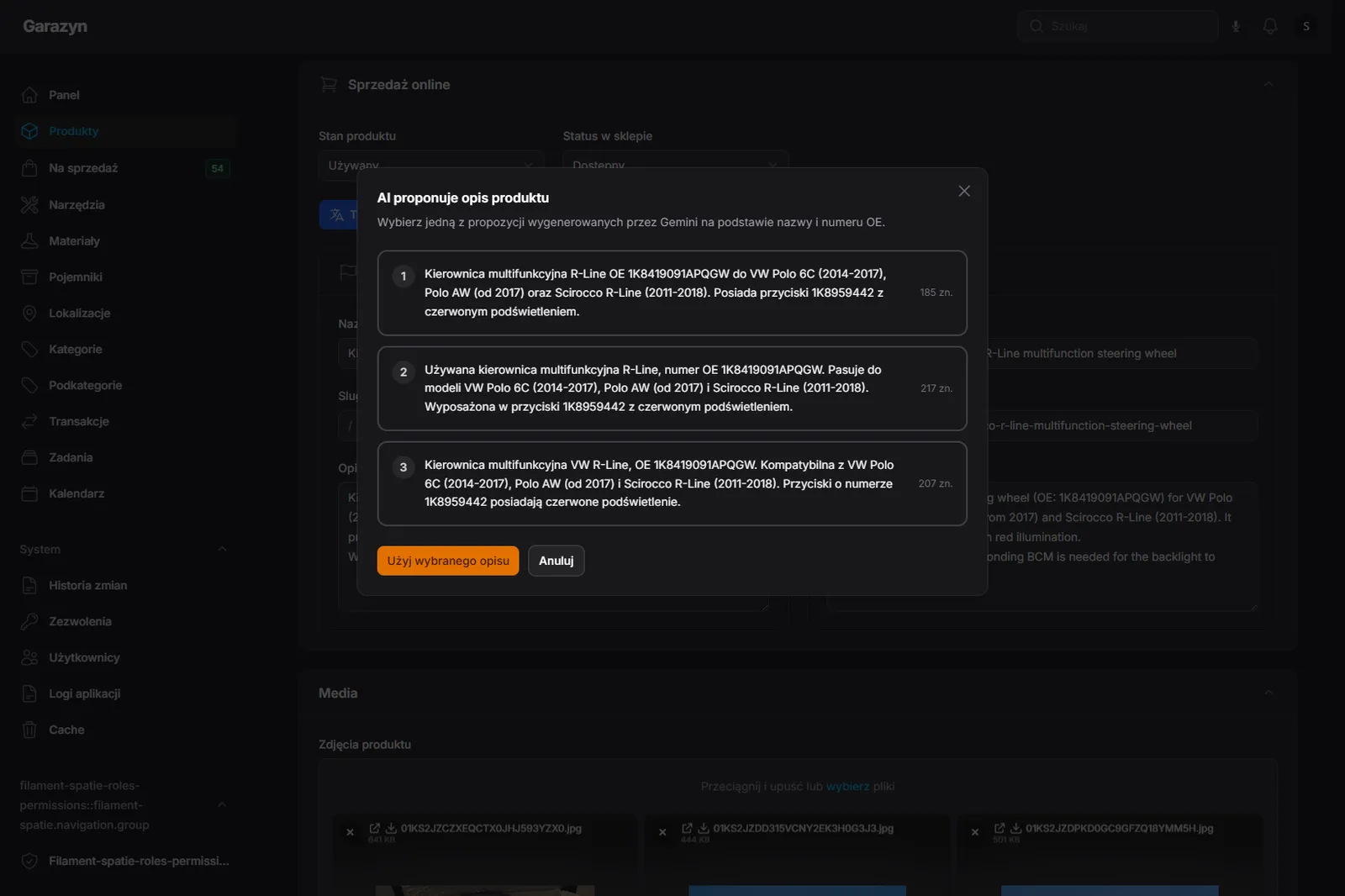
- AI description generator that proposes a few variants to pick from, instead of forcing you to write from a blank page.
- Per-language SEO slugs and unique QR codes for shipping labels.

Publish a listing straight from a chat
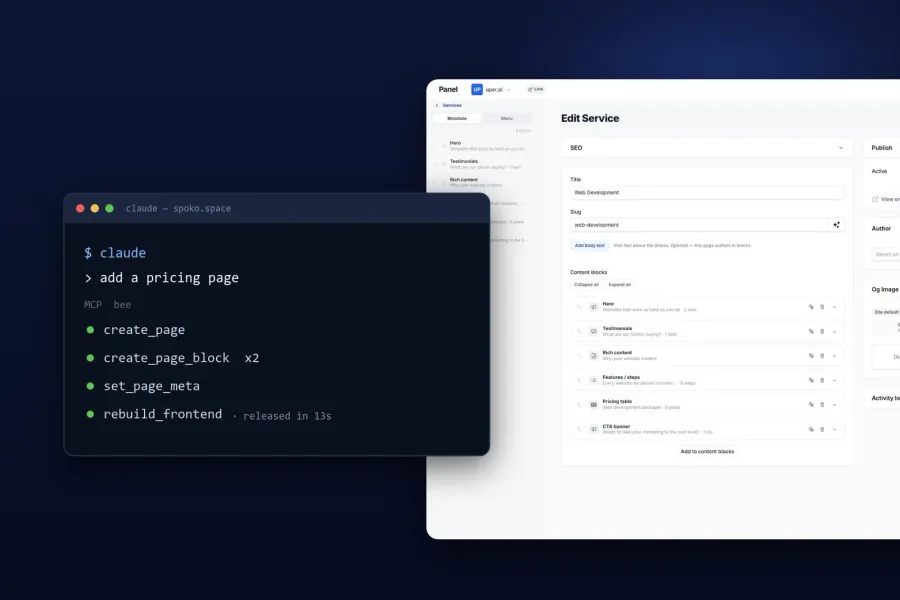
In the AI-assistant era, managing things from a terminal can be much faster than clicking through a panel. Opening a product form, uploading photos one by one, typing the price, picking a category, translating the description and publishing adds up to a lot of clicking for a single listing. Typing the same as one sentence into Claude Code (“publish the folder C:/foto/lampa as a front headlight from a Golf VII, category lighting”) boils it down to seconds of writing and a moment of waiting for thumbnails. Instead of sitting over a panel I can look at the keyboard and think about the description; the assistant does the rest.
MCP (Model Context Protocol) gives Claude Code the same write paths the panel uses: creating and updating classifieds, plus auditing and cleaning up names across the whole catalogue.
To publish a listing the assistant runs a local Artisan command that shrinks each photo to a size the shop can serve, uploads them straight to Cloudflare R2 through presigned URLs, then calls the API to create the listing with the OE number, price, and Polish description. DeepL translates the description into English on save.
Cleaning up names works the same way. The assistant finds duplicate QR labels, placeholder titles and missing translations, then shows a list of fixes to approve. A single “tidy up the part names” in the chat replaces hours of clicking through forms.

The MCP token carries the same panel permissions its owner has, so a Claude Code session cannot do anything its owner could not do in the browser. Every MCP call lands in the same audit log as a panel edit, so a listing born in a chat and a listing born in the form look identical in the history.
Packshots without a designer
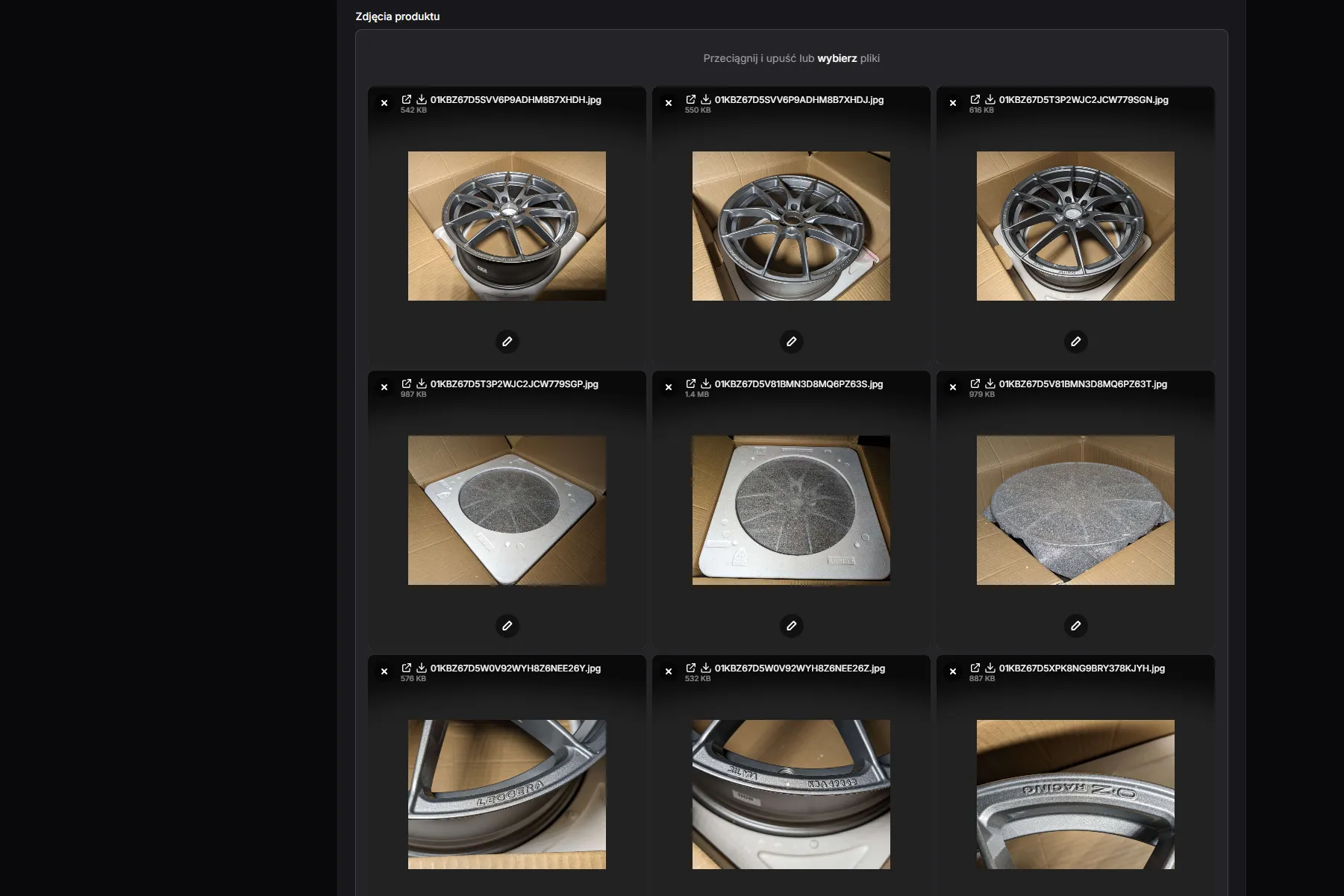
Parts get photographed wherever they happen to be: in a box, on the lawn, on the workshop floor. To keep the storefront consistent, the system turns those photos into packshots, photos of just the part on a white background, and uses them as listing covers. No graphic designer or photo editor is needed: someone looks through the finished packshots in the panel and approves them. I cover this in more detail in a separate post: White-Background Packshots in ComfyUI, No Photoshop.


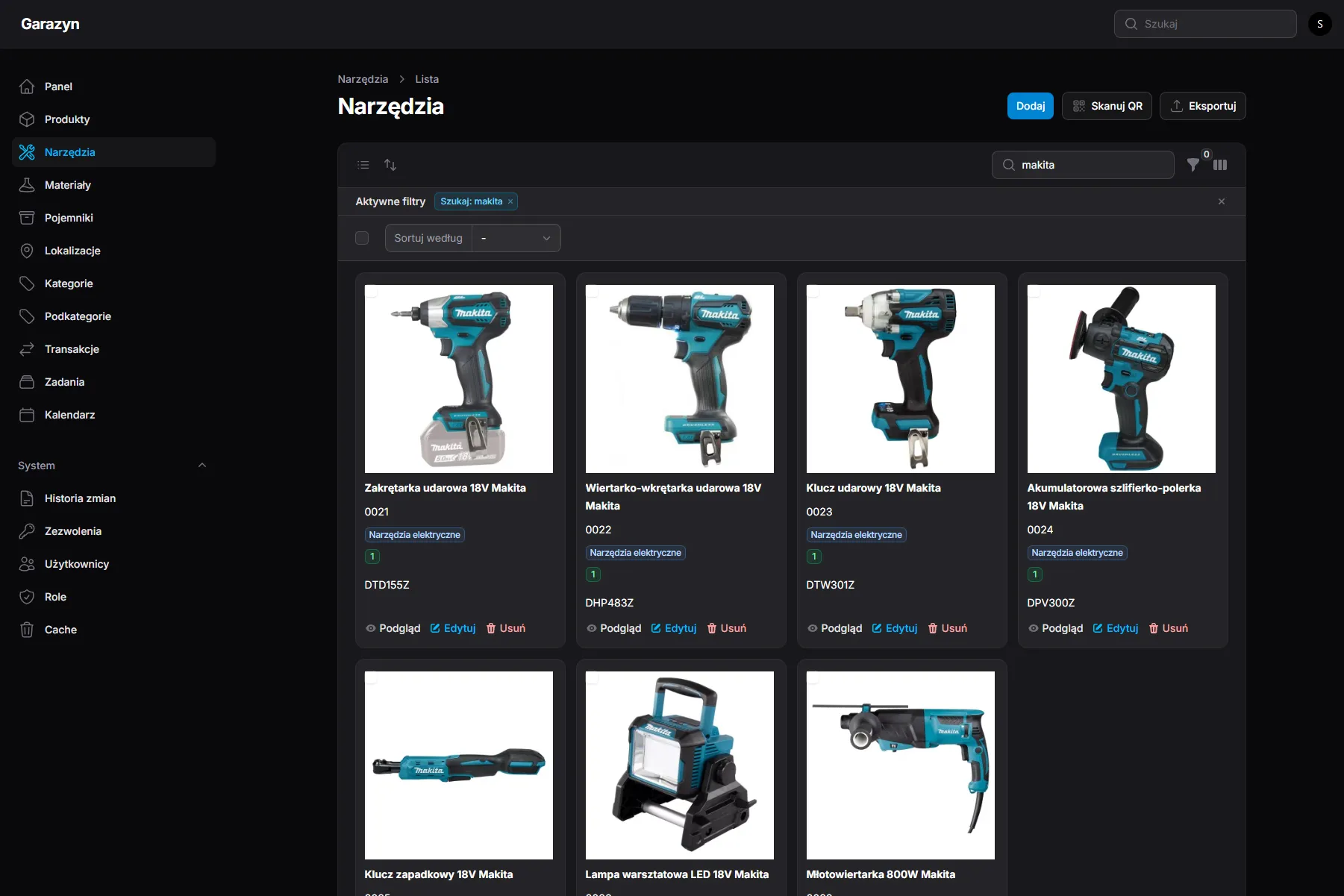
Track tools and consumables
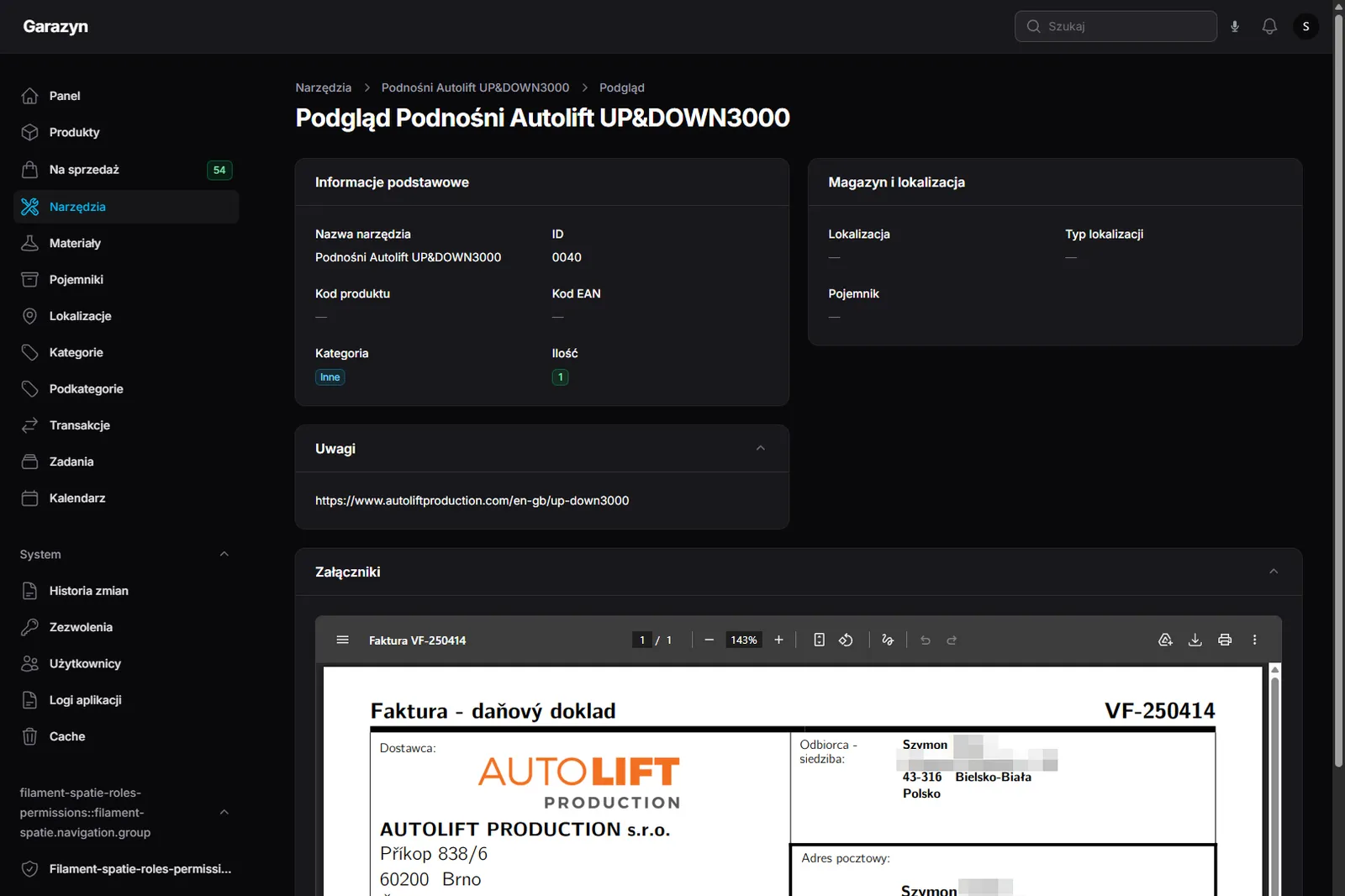
Beyond car parts the system tracks tools (wrenches, power tools, measuring instruments) and consumables (adhesives, fluids, chemicals) with expiry dates and low-stock alerts. Each record can carry PDF attachments: manuals, purchase invoices, warranty cards (prepared beforehand with my free online PDF editor).

Do it from a phone
A garage is a place where edits happen from the phone with gloves on, so every Filament form (Product, Tool, Material) has a mobile variant meant for one-handed use:
- Tabs instead of endless scroll (Basics, Warehouse, Online sales), with the record ID in the breadcrumb.
- Sticky action bar at the bottom with Save, Cancel and Scan container. It floats above the keyboard on iOS and Android.
- QR scanner in the top bar, available from every page, so a scanned code opens the correct record from any view.
- Collapsible search: on mobile it collapses to an icon and opens as a full-screen sheet on tap.


See every change
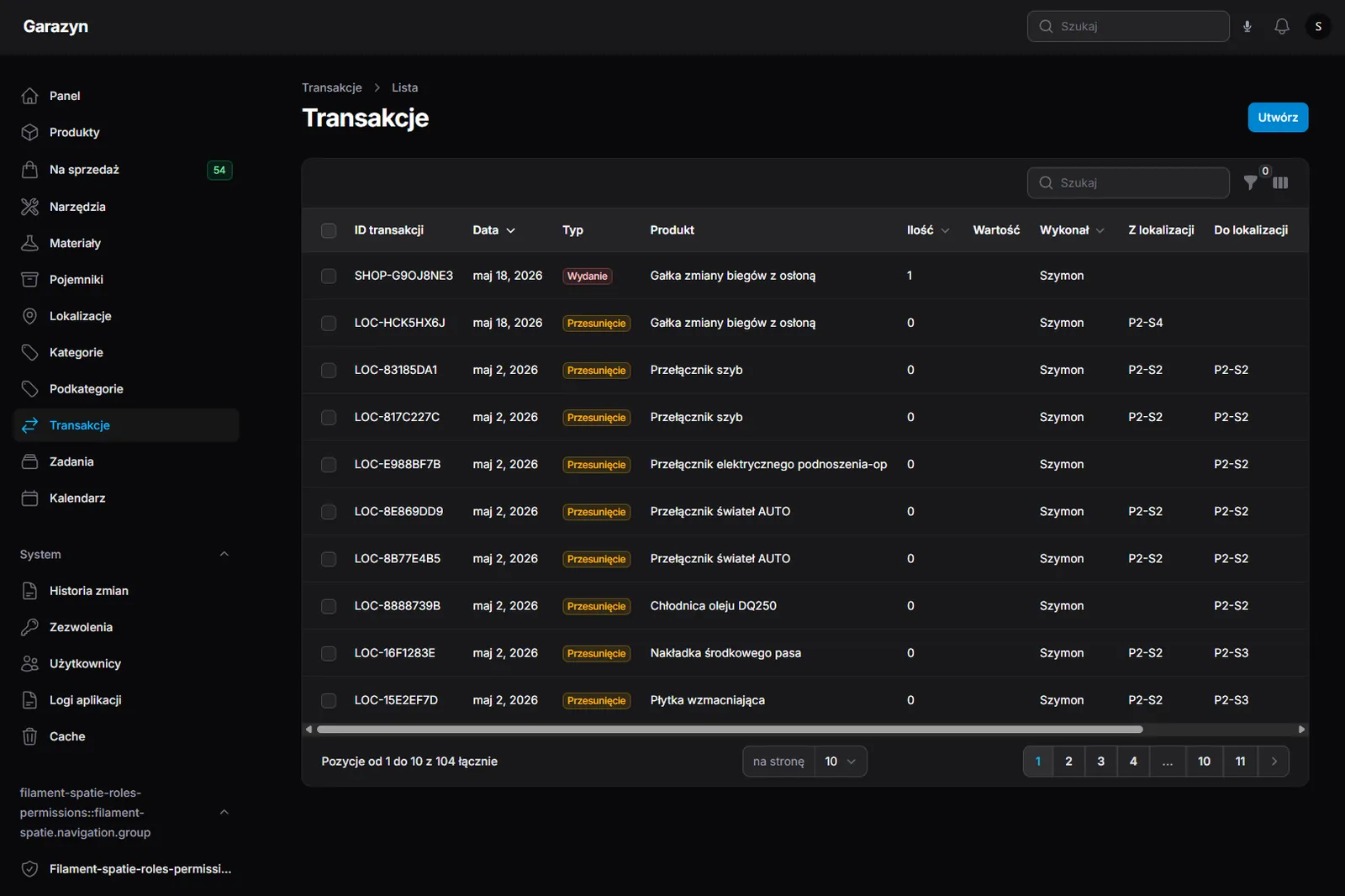
Two levels of event tracking: warehouse transactions (receipt, issue, transfer) record quantity movements with automatic stock updates, and a full change history on every model keeps a diff of the modified fields with the operator’s name and a readable Polish description. Writes from a single request are grouped into one entry, so a form submit produces a single audit row instead of a dozen.

Results
- Any part is findable within seconds. Scanning a box, typing an OE number or dictating a name is enough to see what is where. The old quarter-hour searches have turned into a moment with the phone camera.
- No more duplicate purchases. The catalogue is the single source of truth, so nothing gets bought twice because it could not be found. One query in the search bar is enough.
- Listings reach the buyer, not the box. Publishing a part for sale takes minutes instead of hours, and the English description lands on save, so the barrier for buyers abroad is gone.
- Managed from the keyboard. MCP gives Claude Code the same writes the panel uses, so routine tasks (new listings, name cleanups, status updates) happen from a chat in the terminal, without opening the browser.
- One look across the storefront. White-background covers are made automatically, with no graphic designer.
- The workshop is mobile. Everything the panel does, the phone does too. Tabbed forms, a pinned action bar and a QR scanner in the top bar make it possible to work from the workshop, with dirty hands, one finger.
- A full audit. The change history shows who changed what and when, so “what did I do with this?” now has an answer.
Technologies used
Laravel + FilamentPHP + Livewire
Backend built on Eloquent models, admin panel and reactive UI fragments (QR scanning, dynamic forms).
PWA + Web Speech API
Public frontend with voice search and a camera-based QR scanner.
Astro + REST API
Static storefront fed from the warehouse feed with a 15-minute cache.
Cloudflare R2
Product photos uploaded straight from the client through presigned URLs, bypassing the backend.
DeepL
Automatic English translation of Polish descriptions on save.
MCP integration
Model Context Protocol lets Claude Code publish listings and clean up names with the same permissions as the panel.
ComfyUI + BiRefNet
Packshots cut out on a computer in the workshop: just the part on white, checked in the panel before it becomes the cover.
Role-based access control
Change history on every edit plus roles and permissions shared between the panel and MCP.